Last updated: 22 October 2026. Written by Ritesh Kanjee, director of Augmented AI.
You can automate social media uploads in two ways. A paid API aggregator posts to every platform through one connection and is quicker to set up. Free native APIs connect straight to LinkedIn, X, Facebook and Instagram, take more technical setup, and leave you owning the whole system. Both can pick up finished files from Google Drive.
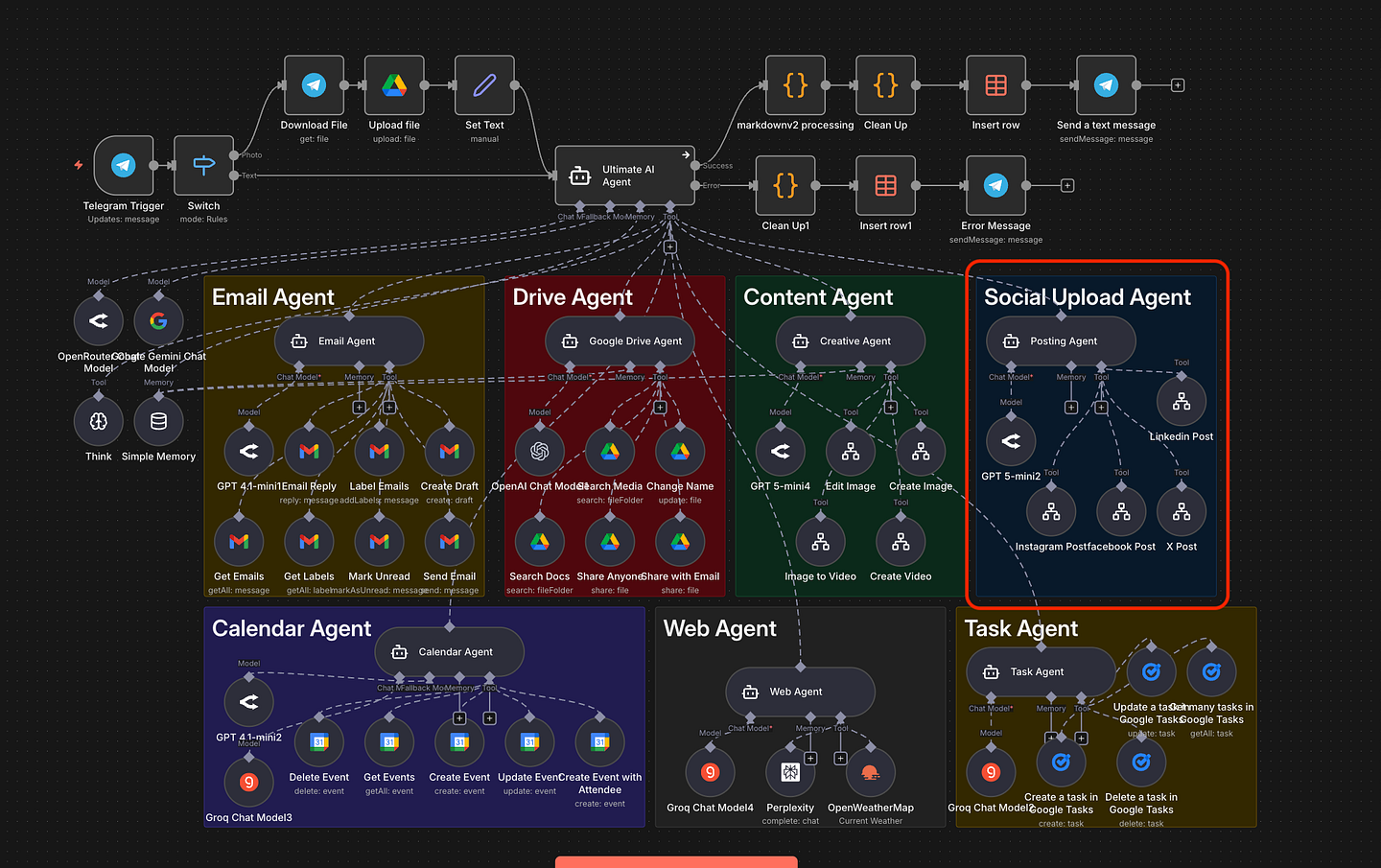
This is Part 8 of my Ultimate AI Agent series, where I am building one agent that can check email, manage files, create content and handle calendars. This part covers the Social Upload Agent, which posts finished Drive files for you. The aim is to move from Level 1 manual tasks to a Level 3 system that works on its own.
What does the social upload agent need to work?
The agent takes a file from Google Drive and pushes it to your social channels, so it needs to know which file, what to say and where to post. I define the prompt in the model, and the AI decides how to use the tools it has been given, including the routing between them. It needs three inputs:
- File ID: the location of the image or video in Google Drive.
- Post caption: the text generated for the post.
- Target platform: where the content should go, such as LinkedIn, X or Facebook.
Here is how I implemented it in our workflow tool.
Should you use a paid aggregator or free native APIs?
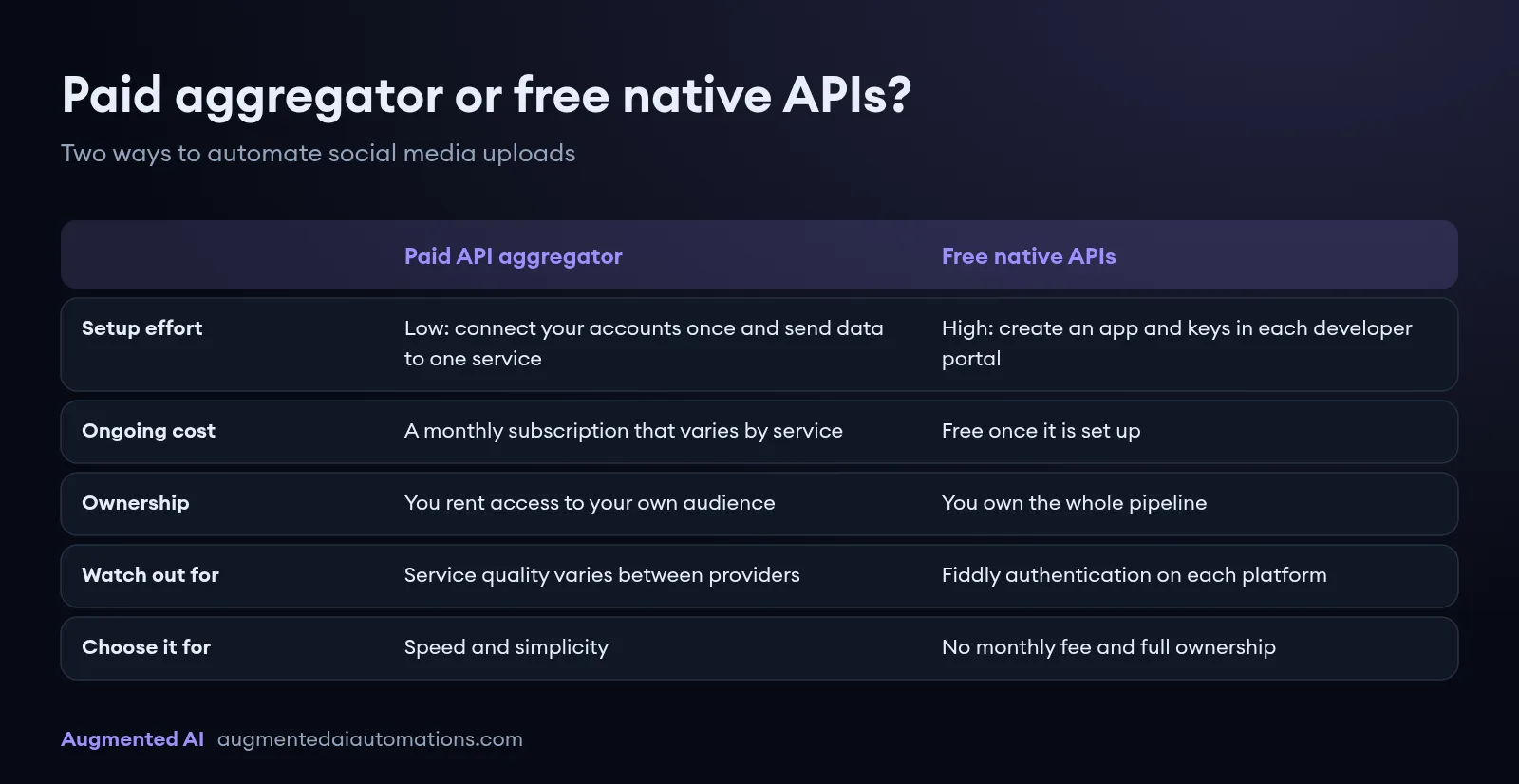
Use a paid aggregator if you want speed and simplicity, and native APIs if you want no monthly fee and full ownership. The choice depends on your budget and your patience. The table compares the two.
| Question | Paid API aggregator | Free native APIs |
|---|---|---|
| Examples | GetLate, Blotato and similar services | LinkedIn, X and Meta Graph APIs |
| Setup effort | Low: connect your accounts once and send data to one service | High: create an app and keys in each developer portal and handle authentication |
| Ongoing cost | A monthly subscription that varies by service | Free once it is set up |
| Ownership | You rent access to your own audience | You own the whole pipeline |
| Watch out for | Service quality varies; I had poor customer service from GetLate | Fiddly authentication on each platform |
How does the paid aggregator method work?
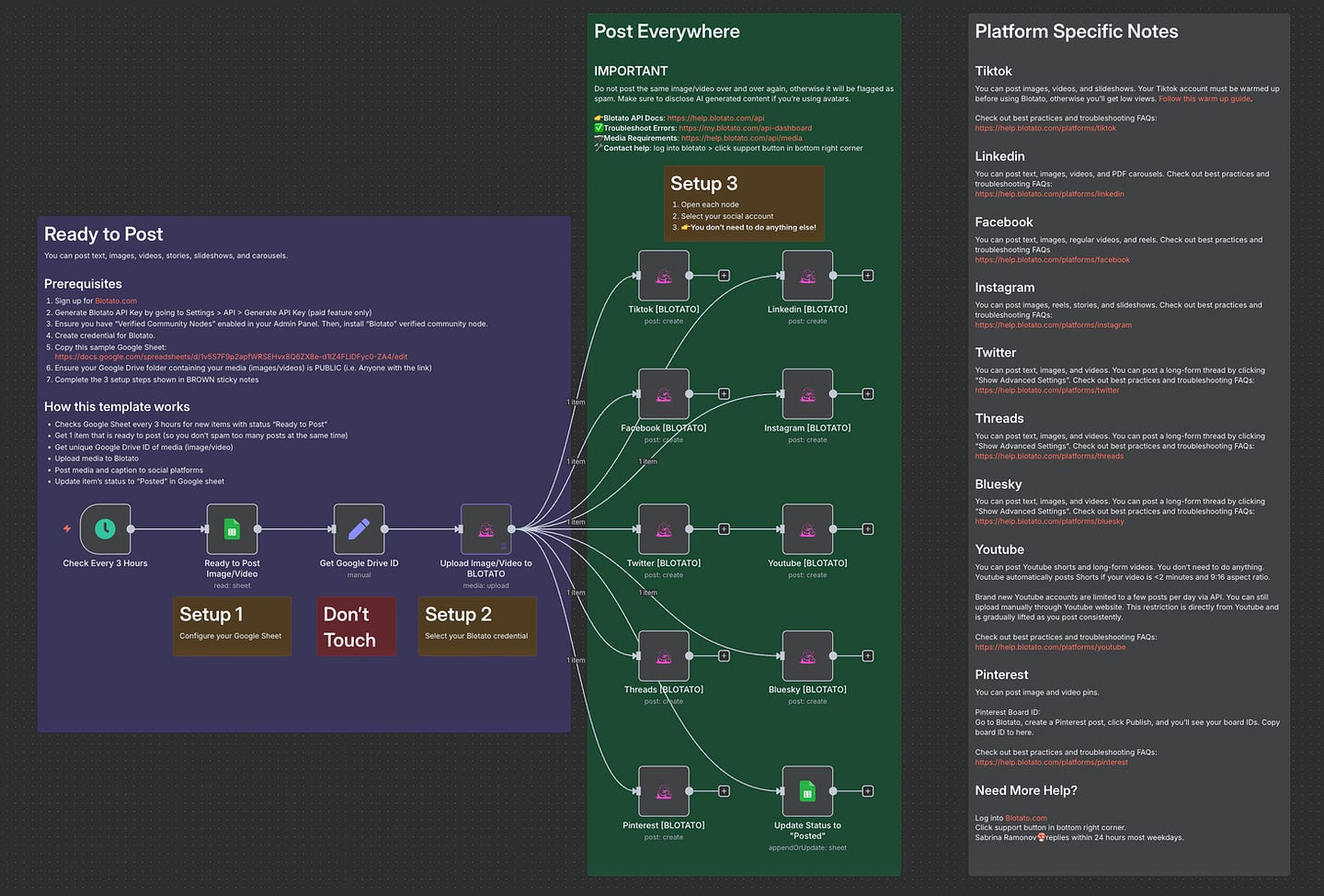
Aggregators connect to all your social platforms for you. You send the file and caption to one service and it handles distribution, which is clean and fast. The catch is the monthly subscription. For a business focused on return on investment, a recurring cost for something you can build yourself may not make sense.
How does the native API method work?
The native method connects directly to each platform from the workflow tool, and it is the method I use in this workflow. Each platform has its own requirements:
- LinkedIn: a dedicated node that needs a Client ID and Client Secret.
- X (Twitter): API credentials to upload media and post.
- Facebook and Instagram: the Graph API (v23.0).
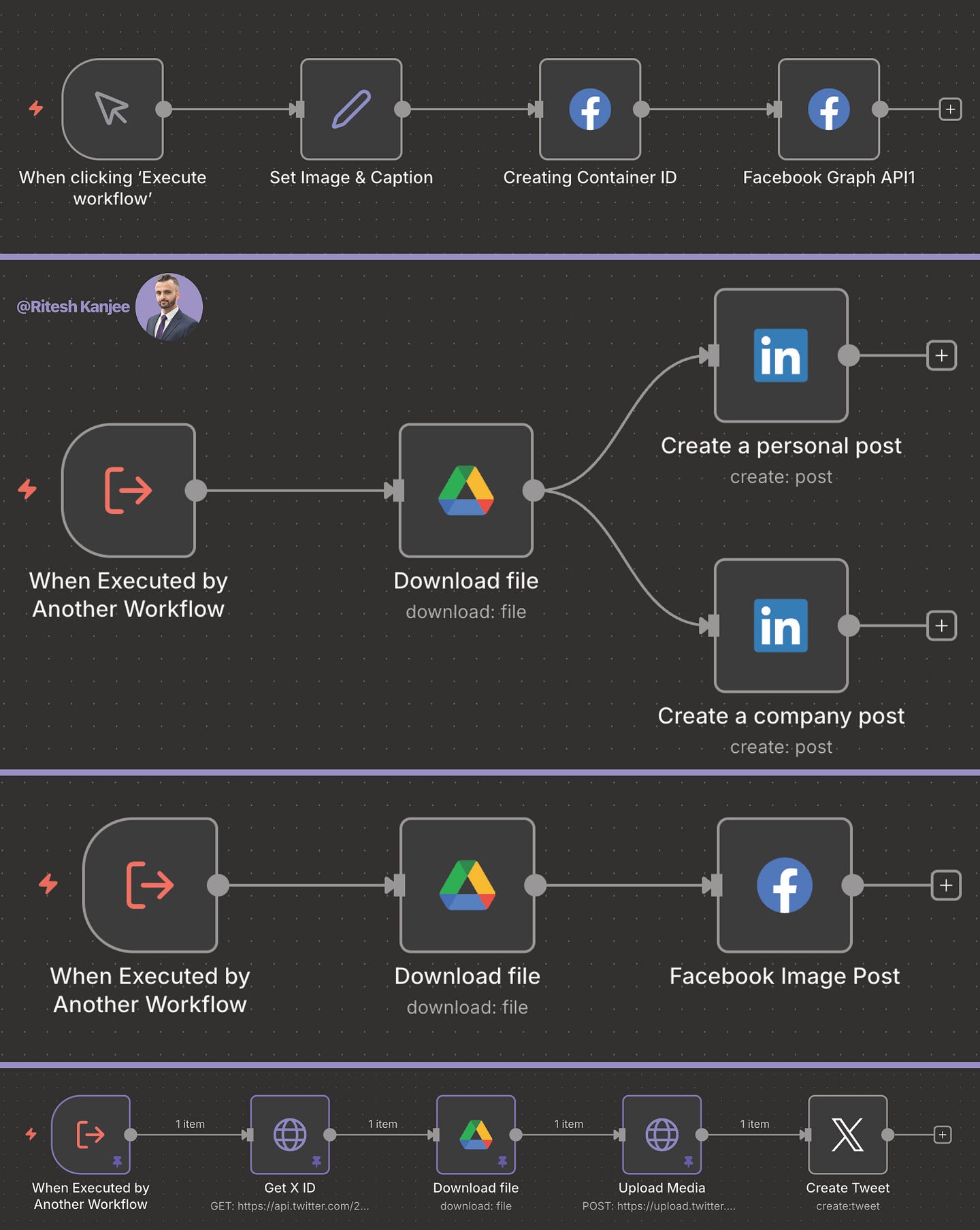
I will not pretend this is easy. It is the hardest way to set things up: you go into the developer portal for each network, create an app, generate keys and handle authentication. It is tedious, and the authentication was tricky for me at first. Once it is done, though, it is free and you own the pipe. If you are not technical, the full instructions and workflow code are in our Corporate Automation Library (CAL), which has over 50 automations with 2 to 4 new ones added each week.
What happens when the agent runs?
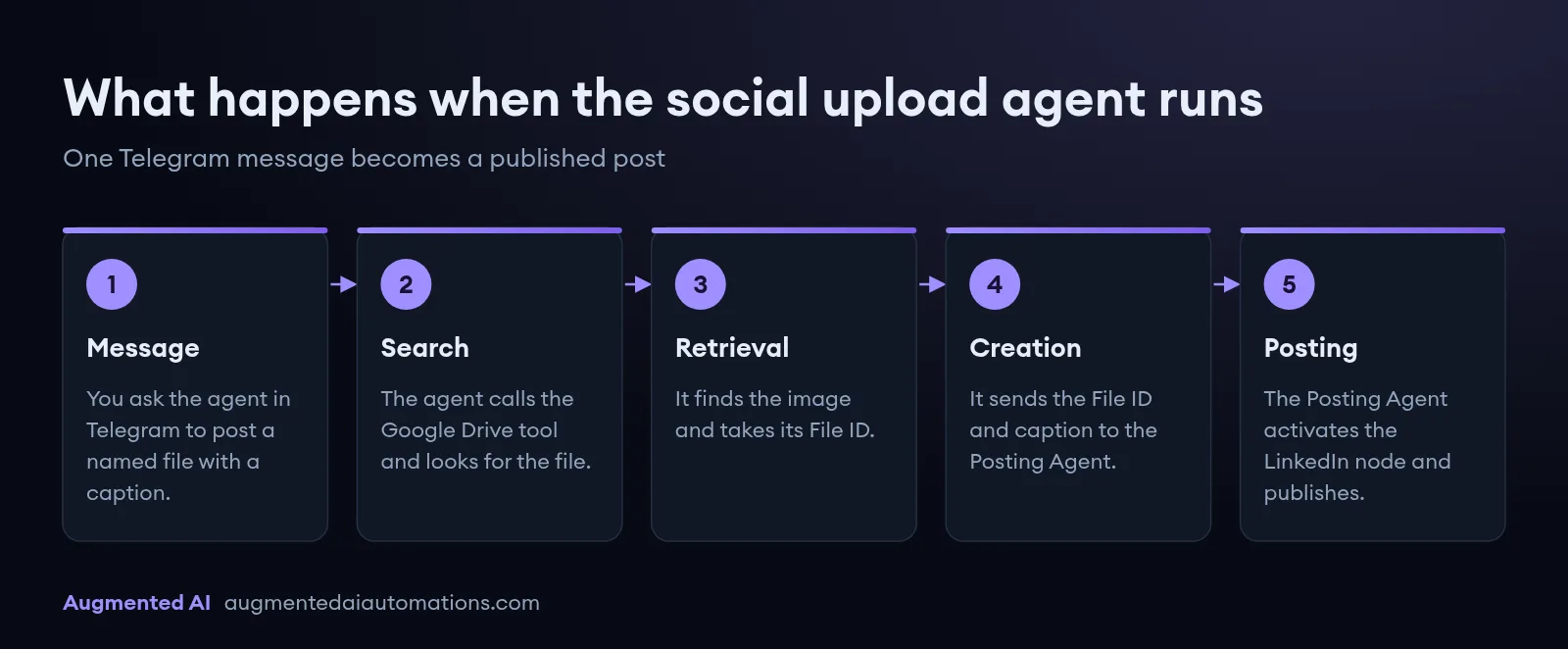
I start in Telegram by sending my agent a message: "Post the file 'automation workflow' to LinkedIn with the text: This is an automation workflow by Ritesh Kanjee from Augmented AI."
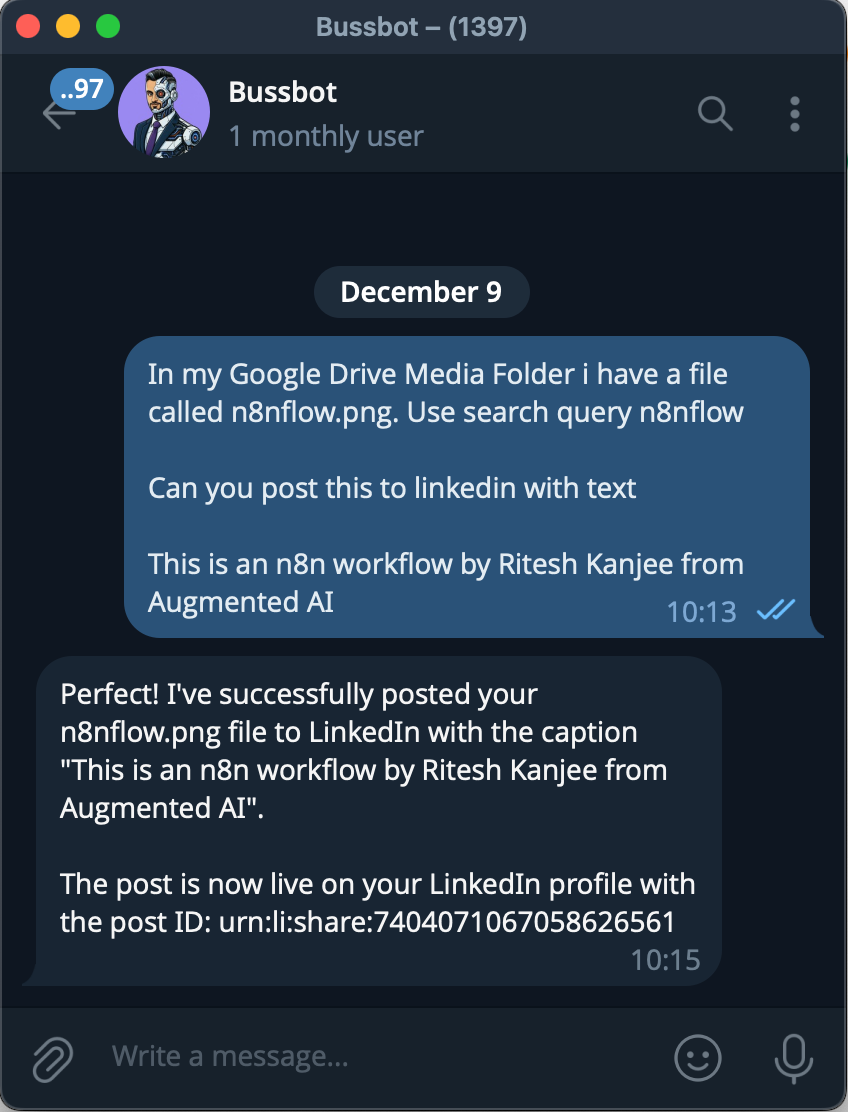
In the background, the agent works through four steps:
- Search: it calls the Google Drive tool and looks for a file named "automation workflow".
- Retrieval: it finds the image and takes its File ID.
- Creation: it sends the File ID and my caption to the Posting Agent.
- Posting: the Posting Agent activates the LinkedIn node.
In my test, the agent found the file after a few attempts, because AI search can be fuzzy, and then posted to LinkedIn successfully. When I checked my profile straight afterwards, the new post was there with the correct image and caption, posted a minute earlier.
Why let the agent handle the routing?
Letting the agent route itself is what moves this from Level 2 (process automation) to Level 3 (departmental systems). You do not tell the AI which buttons to click. A router model decides the order: it needs a file, so it goes to Google Drive first, gets the ID, then hands it to the Posting Agent.
You can build the same thing deterministically, as Step A to Step B to Step C, and that is the safer option. Agent routing, however, copes with vague requests and can adapt when a step fails, which matters as the system grows.
What comes next in the series?
The series has now covered email, files, calendar, content and social media distribution. Two agents remain:
- Home Assistant Agent: controlling the physical environment.
- Social Scraping Agent: listening to the market.
If you are still dragging images from folders into LinkedIn by hand, that is time you could spend on strategy. Build the system once and own the infrastructure.