The Dawn of AI-Powered Avatar Puppeteering: Revolutionizing Content for Entrepreneurs
In an increasingly competitive digital landscape, capturing audience attention demands innovative and dynamic content. For entrepreneurs, this often translates to a need for efficient, scalable solutions that can generate high-quality visual assets without extensive resources. The advent of AI motion generation technology marks a pivotal moment, offering the ability to puppeteer any avatar with remarkable precision and ease. This capability is not merely a novelty; it represents a powerful tool for enhancing brand presence, creating engaging narratives, and automating content production at an unprecedented scale.
Evidence of this technology's impact is already profound. Recent demonstrations showcasing AI-generated motion for various avatars have garnered significant attention, with one particular post on LinkedIn exceeding 24,000 impressions and over 200 comments. Such engagement underscores a clear and substantial demand for accessible, powerful AI tools that can bring static images to life. For forward-thinking entrepreneurs, understanding and implementing these solutions is no longer optional but a strategic imperative.
Unleashing Dynamic Visual Content: The Kling 2.6 Revolution
At the forefront of this innovation is the Kling 2.6 AI motion generation model, integrated seamlessly within a powerful workflow like those found in n8n. This system empowers users to imbue any static image—be it a celebrity, a brand mascot, or a personalized avatar—with realistic and fluid motion derived from a source video.
Precision in Motion: What Kling 2.6 Achieves
The core strength of Kling 2.6 lies in its ability to translate complex human motion from a video onto a chosen avatar with a high degree of fidelity. The demo showcases several impressive capabilities:
- Exceptional Accuracy: The generated motion closely mimics the nuances of the source video, providing a convincing illusion of life.
- Intelligent Feature Handling: Even for features not explicitly trained or perfectly aligned with the avatar's structure, such as teeth or intricate facial expressions at challenging angles, the AI demonstrates an impressive ability to approximate and generate plausible movement.
- Consistent Visuals: Elements like hair movement often appear consistent with the body's motion, contributing to a more natural and believable output.
- Background Control: While backgrounds are typically static in the base generation, advanced configurations can introduce dynamic elements, offering further creative control.
This level of detail means that entrepreneurs can create compelling video content featuring their chosen avatars without needing expensive animation studios or complex motion capture setups.
Navigating the Nuances: Understanding Limitations
While Kling 2.6 delivers remarkable results, it is essential for users to understand its current limitations. AI models, by their nature, are continuously evolving, and occasional imperfections can occur:
- Anatomical Distortions: In some instances, the AI might misinterpret proportions, leading to humorous or slightly off-kilter renditions, such as disproportionately sized limbs.
- Facial Discrepancies: Depending on the quality and style of the input avatar image, the AI may sometimes struggle to maintain a perfect likeness, occasionally altering facial features in a way that diverges from the original character. This can sometimes be mitigated by using high-quality, well-defined source images.
- Generation Time: Generating a 5-minute video can take approximately 7 minutes. While impressive given the complexity, it highlights the asynchronous nature of the process, requiring patience and workflow optimization.
Understanding these aspects allows entrepreneurs to set realistic expectations and optimize their input to achieve the best possible outcomes.
Strategic Imperatives for Entrepreneurs: Why This Matters
For entrepreneurs, AI motion generation is more than a technical marvel; it's a strategic asset with profound implications across various business functions:
- Revolutionizing Content Creation: Generate an endless stream of engaging video content for social media, marketing campaigns, and presentations without needing to be on camera yourself.
- Personalized Brand Storytelling: Create unique brand mascots or virtual spokespeople that can deliver messages with dynamic flair, fostering deeper audience connection.
- Cost and Time Efficiency: Drastically reduce the time and expense associated with traditional video production and animation, freeing up resources for other core business activities.
- Scalable Marketing Campaigns: Rapidly produce variations of video ads or promotional material tailored to different demographics or platforms, enabling agile marketing strategies.
- Enhanced Educational Materials: Develop animated tutorials or explainer videos featuring engaging avatars, making complex information more accessible and memorable.
- Unique Customer Engagement: Introduce interactive elements with AI-powered avatars for customer service, virtual events, or product demonstrations, creating novel user experiences.
The ability to consistently produce high-quality, dynamic visual content at scale provides a distinct competitive advantage, allowing businesses to stand out in a crowded digital marketplace.
Accessing the Power: The Augmented AI Automations Library
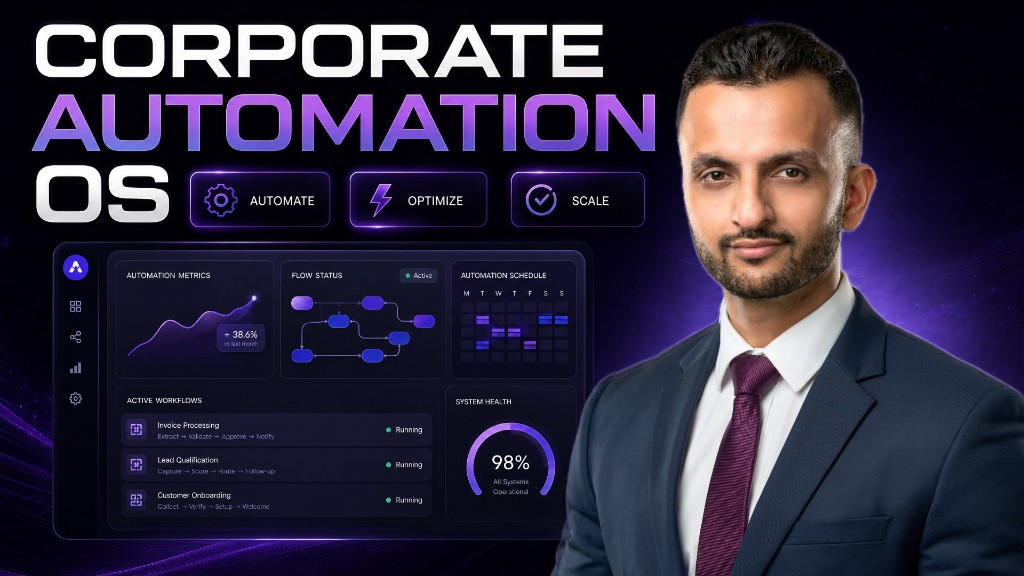
The capabilities described above are part of a broader ecosystem of advanced AI tools and workflows available through specialized platforms like the Augmented AI Automations Corporate Automation Library. This comprehensive resource provides entrepreneurs with over 983 automations designed to streamline operations and ignite growth.
Within this library, you'll find a wealth of resources beyond just AI motion generation, including:
- Content Creation Tools: Automate blog post generation, social media captions, and article writing.
- Automated LinkedIn Post Generator: Enhance your professional networking and lead generation efforts.
- Presenter Cloning: Create virtual versions of yourself for presentations and videos.
- Multi-Platform Social Media Publishing: Publish content across YouTube, LinkedIn, Instagram, and more, without relying on expensive third-party platforms.
- Marketing & Growth Automations: Implement newsletter automation, viral research strategies, and growth hacking for TikTok, LinkedIn, and Instagram.
- Sales & Lead Generation: Streamline cold outreach and scrape over 50,000 leads, integrating with email, Google Drive, and calendar agents.
- Image & Video Editing: Leverage tools like Nano Banana for advanced image manipulation and access the Kling 2.6 motion generator and other video generation models.
Accessing these workflows provides a significant shortcut to implementing cutting-edge AI solutions within your business.
Implementing AI Motion Generation: A Step-by-Step Workflow with n8n
The process of puppeteering an avatar using Kling 2.6 is facilitated through a robust n8n workflow. n8n, a powerful workflow automation tool, allows for seamless integration of various AI models and services. The workflow is typically provided as a JSON file, which can be easily uploaded into your n8n instance.
Foundation: Setting Up Your n8n Environment
The initial step involves importing the pre-built workflow. Once uploaded, the workflow will typically present an interface, often a form or chat-like input, where you define the core elements for your animation:
- Static Image URL: The URL of the avatar image you wish to animate. This is your "puppet."
- Video ID: The URL of the source video containing the motion you want your avatar to mimic. This is your "puppeteer."
By simply inputting these two URLs, you begin the transformation process.
Preparing Your Visual Assets: Google Drive Integration
For the AI model to access your input images and videos, they must be publicly accessible. Google Drive is a convenient platform for hosting these assets:
- Public Sharing: Ensure that your Google Drive files are set to "Anyone with the link can view." This is crucial for the AI model to access the content. Without this, the workflow will fail.
- Automated Sharing with n8n: To streamline this, the n8n workflow can include nodes that automate the sharing process, allowing you to simply provide file IDs or local paths, and n8n will handle the permission settings. This eliminates repetitive manual steps.
This ensures that the Fell.ai service, which powers the motion generation, can retrieve your chosen avatar and motion source.
The Core Engine: Integrating with Fell.ai
The heart of the motion generation lies with Fell.ai, a powerful AI service. Integrating with Fell.ai within n8n requires specific configurations.
Harnessing Community Nodes
Fell.ai functionality is accessed via a community node in n8n, meaning it’s not part of the standard n8n installation.
- Installation: You will need to navigate to n8n's community nodes section and install the
nodes-valaipackage. Once installed, a newFell.ainode will become available in your node library.
API Keys and Model Selection
To authorize communication with Fell.ai and specify the desired AI model, you'll configure the Fell.ai node:
- Fell.ai API Key: Obtain an API key from your Fell.ai account settings. This key is essential for authenticating your requests and typically requires Fell.ai credits for processing.
- Model ID: Select the appropriate model for video generation. The recommended model is
fell-ai-cling-video-v2.6-standard. A "pro" version may also be available for higher quality or additional features, typically at a higher credit cost.
Defining Your Vision: Prompts and URLs
Within the Fell.ai node, you'll specify the parameters that guide the AI's generation:
- Prompt: A textual description that can influence the style or specific aspects of the motion generation. While the primary driver is the video, prompts can add contextual layers.
- Image URL: The public URL of your static avatar image.
- Video URL: The public URL of your motion source video.
Managing Asynchronous Processes: Ensuring Successful Generation
AI video generation is an asynchronous process, meaning the request is sent, and the result isn't immediate. The n8n workflow is designed to manage this efficiently:
- Initial Request: The workflow sends the generation request to Fell.ai.
- Status Check Loop: After the initial request, the workflow enters a loop to periodically check the job's status. It uses the
get statusoperation with the model ID and request ID. - If the status is "in progress," the workflow pauses (e.g., for 10-30 seconds) before retrying the status check. It is advisable to extend the wait time to 30 seconds due to the potentially longer processing times (e.g., 7 minutes for a 5-minute video).
- This loop continues until the job is complete.
- Result Retrieval: Once the job is finished, the workflow retrieves the final video result using the same model ID and request ID.
Final Output: Delivering Your Animated Avatar
The culmination of the workflow is the delivery of your newly animated avatar video:
- Video Download: The generated video is downloaded from Fell.ai.
- Google Drive Save: The workflow automatically saves the completed video to a specified folder in your Google Drive, making it easily accessible for further use or distribution.
This entire automated sequence ensures that entrepreneurs can initiate complex AI video generation tasks with minimal manual intervention, transforming an intricate process into a streamlined operation.
The Horizon of Innovation: Beyond Basic Puppeteering
The current capabilities of AI motion generation are just the beginning. The next frontier involves integrating this technology with other powerful AI tools for even richer content creation. For example, combining Kling 2.6 with Eleven Labs could allow for voice transformation, where your spoken words are translated into a different voice, accent, or even a different character's vocal style. Imagine an avatar speaking in a female voice, a specific regional accent, or a synthesized voice perfectly matching a character's persona – the possibilities for narrative content and character development are immense.
Such advancements pave the way for creating highly dynamic, engaging, and personalized content, enabling entrepreneurs to craft compelling stories, produce immersive experiences, and connect with their audience on an entirely new level.
Transform Your Content Strategy Today
The era of AI-powered content creation is upon us, and tools like Kling 2.6 integrated via n8n workflows offer entrepreneurs an unparalleled opportunity to innovate. By leveraging these advanced automations, businesses can dramatically enhance their visual storytelling, scale their marketing efforts, and ultimately achieve greater impact in the digital realm.
To unlock these transformative capabilities and explore a vast array of other cutting-edge automations, explore the Augmented AI Automations Corporate Automation Library. The future of dynamic content generation is here, and it’s ready to empower your entrepreneurial vision.