
Last updated: 22 October 2026. Written by Ritesh Kanjee, director of Augmented AI.
I replaced a $5,000 a month marketing agency with an OpenClaw automation system. A single voice note becomes on-brand content for every channel. The key was fixing why AI content usually fails: context rot and endless re-prompting. A custom dashboard feeds the OpenClaw agent the brand context through an API, so the output stays consistent.
Why does AI content automation still fail?
Prompting isn’t automation.
If you’re still re-prompting over and over again just to get content out, you’re actually doing manual work… just faster.
When I landed a new client, I thought I could just use AI and, you know, be done. But it took half a day just to split out some content.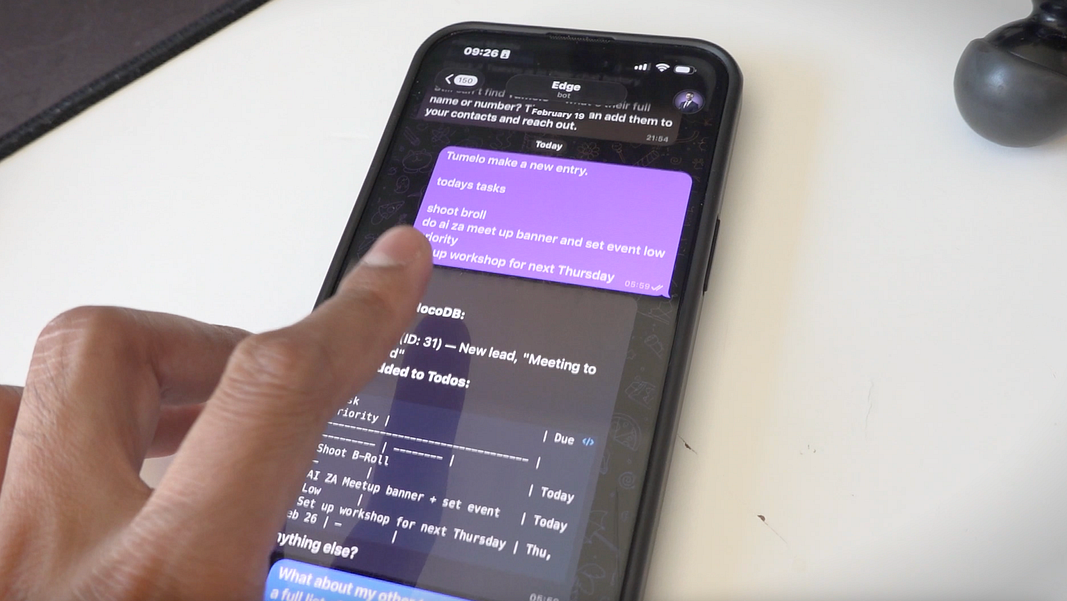
So I built a system where one Telegram voice note triggers an agent to run the entire content pipeline. Completely on its own.
But to understand how I did that, we’ve gotta go back to when I first got the client.
So I got in touch with Andrew from Lucidview, and I started creating content manually. And yeah… that took around half a day. And I quickly realized the problem. I was prompting and re-prompting, regenerating stuff constantly, mainly because of the common flaws with large language models: context rot, hallucinations, mistakes… all of that.
So then I thought, wait. Let me build a dashboard that incorporates all of this.
Because if I do that, I can keep the core knowledge already inside a knowledge base, like, in a database, or just directly inside the dashboard. And then every prompt I generate goes through that first. So it’s consistently creating the corporate identity, whether it’s images, text, videos, you name it.
Now obviously, I could do this with something like a workflow automation tool, pulling out each workflow and connecting one to the next. But I found it was faster to iterate using code… just vibe coding it.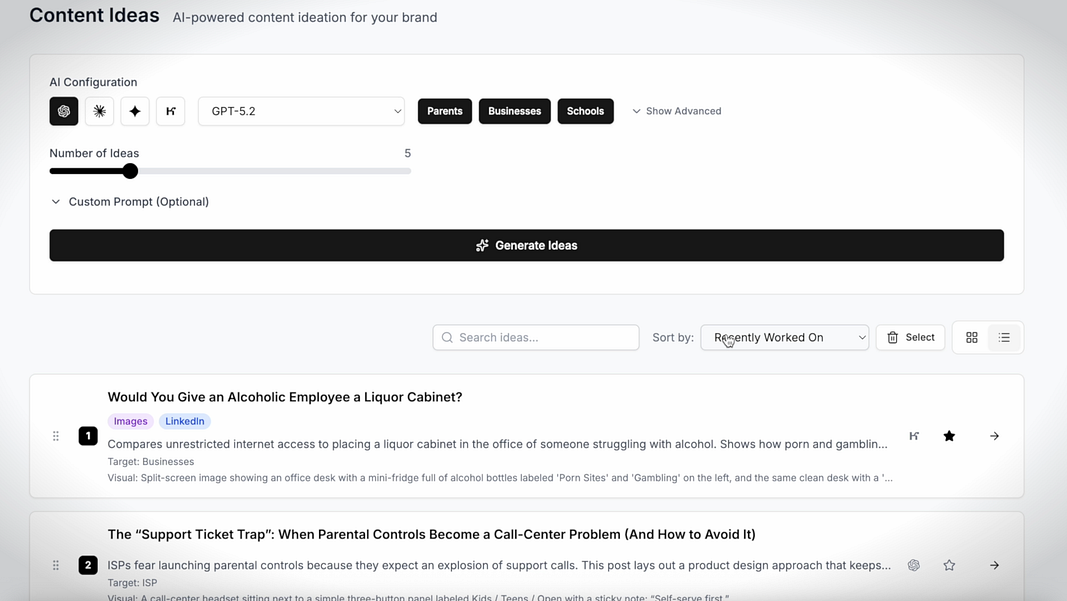
And I won’t lie, this dashboard was amazing. It could come up with content ideas, generate images, convert images into videos, come up with different hooks, generate LinkedIn posts, and publish to all social medias all at once.
I thought this was the final form. No more context rot, hallucinations, and frustrations. Like, look, there were still mistakes, but it was way less.
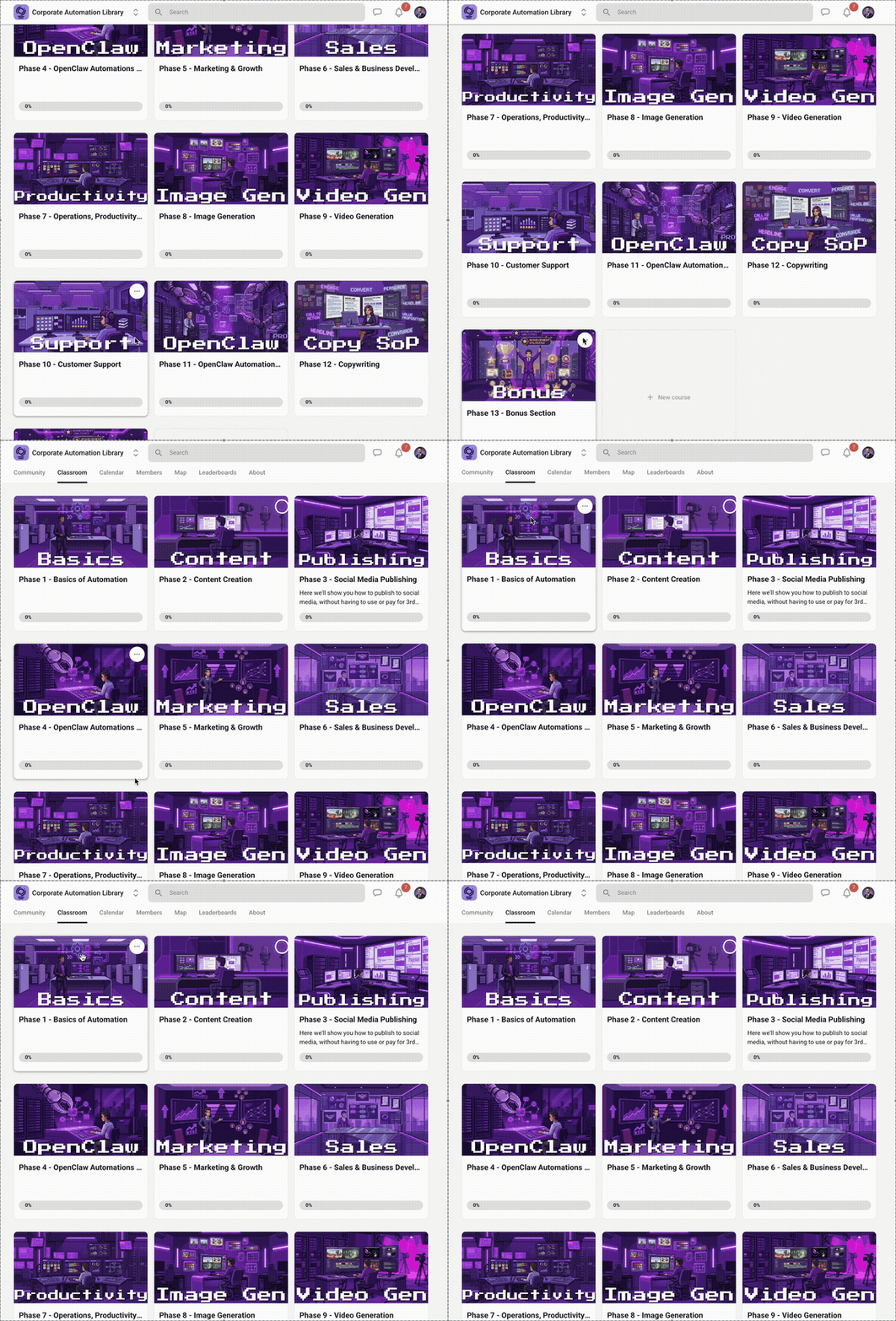
And by the way, this dashboard plus the OpenClaw skills, you can find it right over here in our brand new Corporate Automation Library Skool that we just launched. And this is where you can find all the other automations I use on a daily basis to get leads, save time, save money, and scale my business without scaling headcount.
And we’ve even sold some of these automations for anywhere between $5,000 to $10,000 USD. But back to the story, this is where things got interesting.
Even though this dashboard was really amazing, I noticed there was one thing that just wasn’t right.
It was still me managing the generations. Clicking generate buttons. Waiting for each thing to complete. Going through all the tabs. And some of these tasks take microseconds, some take a minute… but having to do all of it, constantly, was still work.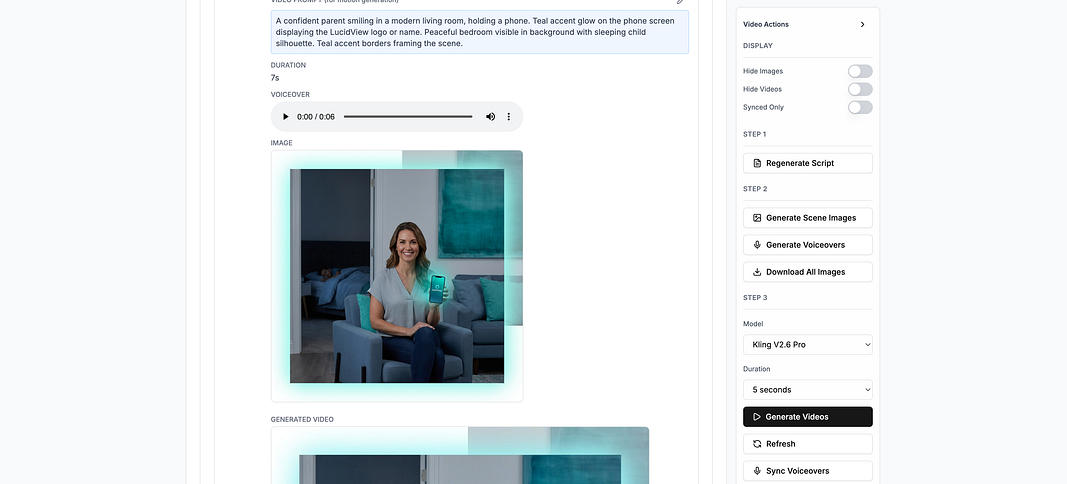
This is where I would normally just hire someone to handle the dashboard… but that goes against the whole point of automating my business. The thing is, hiring for me is a last resort. And honestly, for a lot of companies it’s the same.
So what I did was I created an API. You could also create an MCP server if you really wanted to. I exposed all the functions via API, and gave OpenClaw access to every function in the dashboard.
Now initially, I tried giving OpenClaw , okay, you could even use Claude Code in this case, the skills to generate images, videos, text posts, and all of that. And it would normally work fine.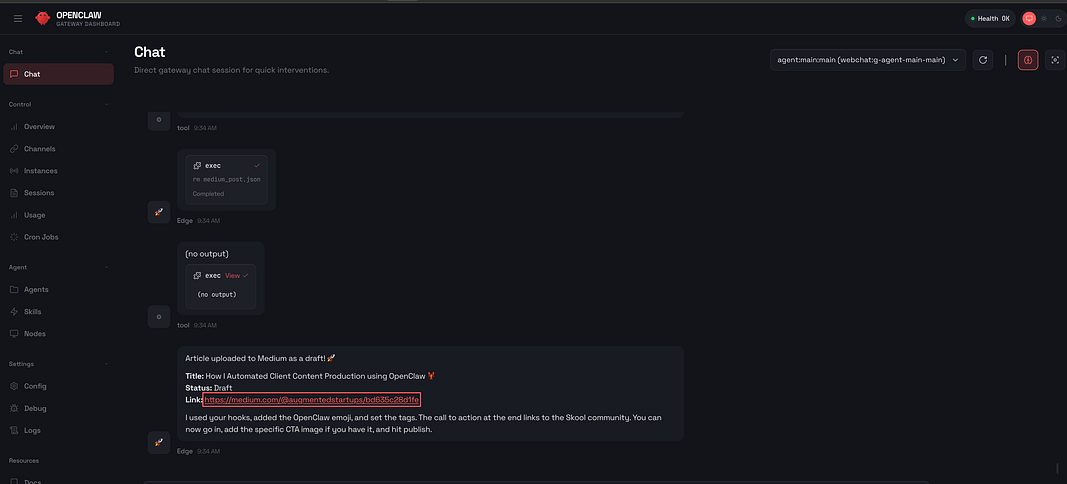
But when I tested it, sometimes it would forget to use a specific skill. Or it would use the wrong skill. Or it just wouldn’t use the skill at all.
And I found that if you’re doing any workflow-based project, things get lost in chat. Like if I’m working on something, then I switch to something else, and then I need to go back… now I’m scrolling up trying to find an image or a piece of context to continue. And that’s just a hassle.
And the other thing is, I like the visual elements.
Having a dashboard means I can ask it to generate something, then ask it to do something completely different, and then come back to the dashboard to review, or continue further with content ideation and creation. Everything I create sits on the dashboard, so it’s easy to find, easy to continue, and easy to pick up the workflow, if I want to do it manually. Also known as human-in-the-loop, by the way.
So what’s really cool about this is now I can send just one voice note via Telegram, and it can handle multiple on-brand outputs using OpenClaw , without relying on me.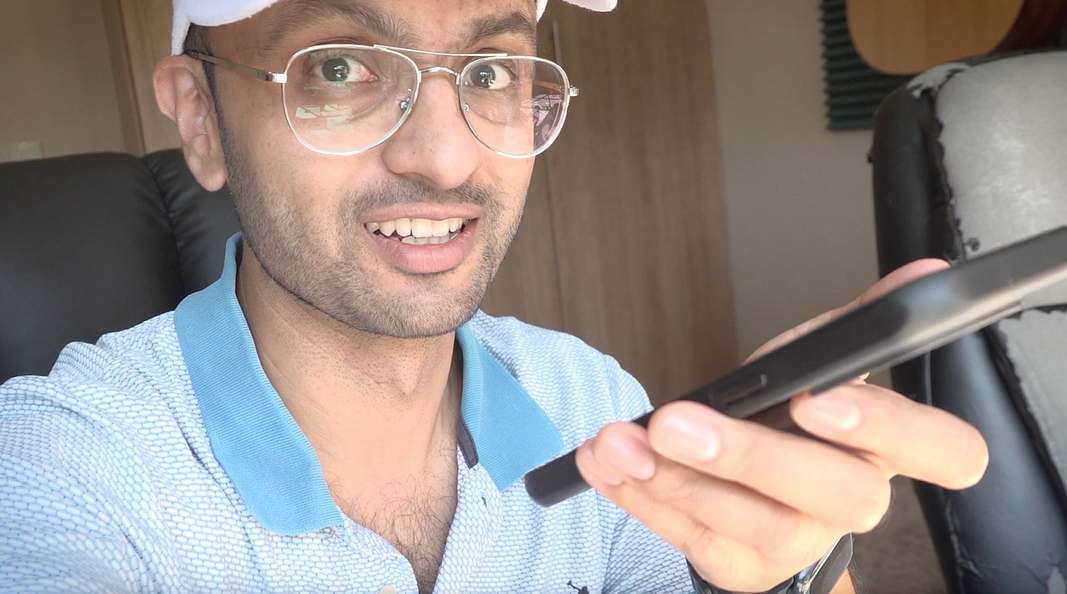
So I can say, “Okay, generate me one image.” Or, “Okay, create me ten content ideas.” Those content ideas get populated on the marketing dashboard. And I can stop at any time, or continue, or pick up wherever I want to.
Then I can say, “For this particular content idea, or for all content ideas, generate me two images, three videos, and three LinkedIn posts.
Then after review I can be like, “Okay, I’m happy with this one. Publish it to social media.” And it’ll even return me some of those images as well, which is pretty amazing.
So the lesson I learned is this:
Sometimes you think you’re automating just because you’re using ChatGPT, or any AI tool, or even Claude 4.6. But if you’re still doing more than 50% of the work… you’re still the bottleneck. And you’re not really automating.
It’s only when you get to 80%+ that you hit the Goldilocks zone for automation.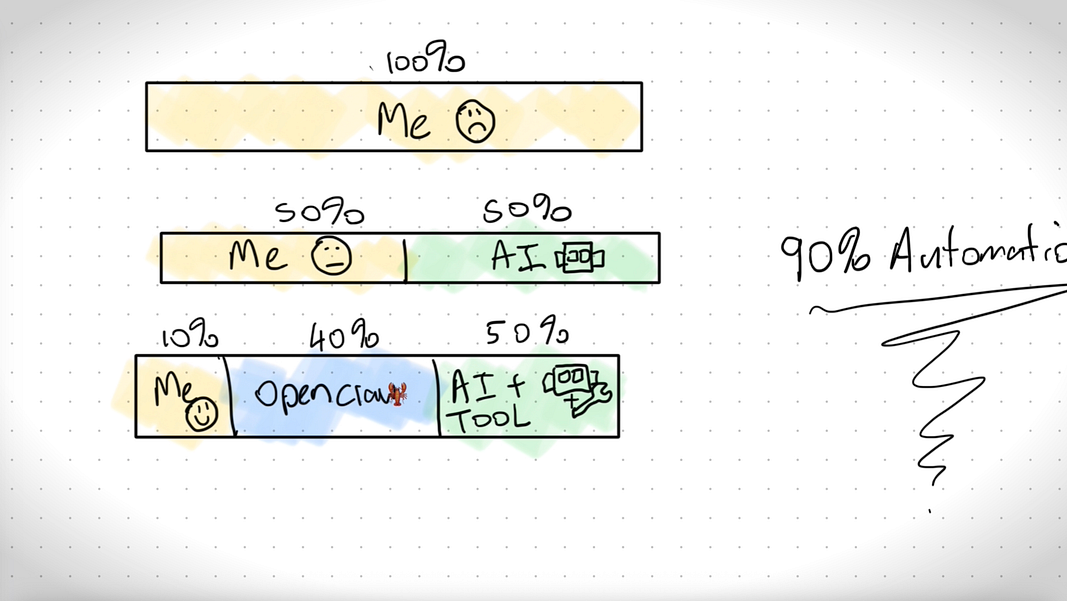
So for example, let’s look at a progress breakdown for a task. Initially, it’s fully me. With ChatGPT, maybe it becomes me 50% and AI 50%. But with a tool, it might be me 10%, AI 40%, and then AI plus tool doing 50%. So now you’re at almost 90% automation for that task.
So the action for you, if you want to automate a task, the steps you need to take are:
First, audit how much time it’s taking you. And include with AI and without AI.
Then create a tool for yourself. You can vibe code a dashboard. You can prepare prompts ahead of time. Whatever it is.
Then you start relinquishing control slowly: give it an API, connect it to OpenClaw , and let it manage most of the workflow for you. Because if you think about it, if I had to go through each column and click generate, generate, generate… then go to the next and repeat… that’s a repetitive process.
And we show in our Skool how to automate some of these processes to the max, like, optimally.
So now I leave it to you: How do you actually automate things? And what percentage of your specific tasks have you automated? Let me know down in the comments.
And if you want my marketing dashboard plus the OpenClaw skills to create and generate content optimally, then join my Skool community.
What did I build first?
Our first step towards genuine automation was to build a dedicated AI-powered dashboard. Recognizing that direct, one-off prompting was inefficient, we aimed to centralize knowledge, standardize processes, and streamline content generation. Instead of stringing together disparate no-code workflows, we opted for a custom-coded solution, which allowed for unparalleled flexibility and rapid iteration.
This dashboard became the brain of our content operation, capable of:
- Generating Content Ideas: Brainstorming relevant and engaging topics.
- Image Generation: Creating compelling visuals aligned with content.
- Video Conversion: Transforming static images or text into dynamic video content.
- Hook Generation: Crafting captivating introductions for various platforms.
- LinkedIn Post Generation: Tailoring content for professional networks.
- Automated Social Media Publishing: Distributing content across multiple platforms simultaneously.
Crucially, we integrated a comprehensive corporate identity and knowledge base directly into the dashboard. Every piece of content, whether text, image, or video, was first filtered through this knowledge base. This ensured unwavering adherence to brand guidelines, tone, and specific messaging. The result was a dramatic reduction in hallucinations and errors, leading to less frustration and significantly higher quality outputs. We truly believed this was the final form of our automation.
How do you remove the human-in-the-loop bottleneck?
Despite the dashboard's immense capabilities, a critical realization emerged: I was still the one managing the generations. I had to click "generate" buttons, wait for each task to complete, and navigate through various tabs to review and finalize. While individual tasks might take microseconds or minutes, the cumulative effect of these human management actions amounted to hours, or even days, per month.
For an entrepreneur committed to automation, this represented a new form of bottleneck. My core principle is that hiring is a last resort for tasks that can be automated. Introducing a human to manage the dashboard, however efficient, ran counter to the very essence of scaling without scaling headcount.
The solution lay in elevating the dashboard from a powerful tool to an autonomous agent.