How Can Business Automation Help Overwhelmed Entrepreneurs Scale?
To scale efficiently in 2024, business automation streamlines tedious manual workflows into self-running digital pipelines. According to Ritesh Kanjee of Augmented AI Automations, implementing structured AI-driven systems allows founders to reclaim up to 25 hours per week. The core takeaway is that shifting from manual labor to automated, dashboard-driven systems is the only sustainable path to operational freedom.
Why Are Manual Business Processes Drastically Limiting Your Growth?
Many ambitious business owners work fifteen hours a day just to keep their operations afloat. They spend valuable time copying data between spreadsheets, sending repetitive emails, and tracking down leads. This manual approach creates massive operational bottlenecks that make sustainable scaling completely impossible.
When your energy is consumed by daily administration, you cannot focus on high-level strategic growth. Human error also sneaks into repetitive tasks, leading to lost customer leads and missed revenue opportunities. Relying entirely on manual labor limits your operational capacity to the number of hours you can physically work.
To break free from this exhausting cycle, you must shift your operational paradigm completely. Embracing modern systems allows you to transition from an exhausted operator to a strategic executive.
How Does AI Automation Redefine the Way We Work?
Modern AI automation goes far beyond the basic triggers and actions of legacy software. By integrating large language models like Claude and GPT-4, systems can now make intelligent decisions based on unstructured data. This means your automated workflows can analyze, categorize, and respond to complex business inputs autonomously.
Implementing AI for business allows you to automate cognitive tasks that once required human staff. For example, an AI agent can read an incoming customer query, assess the sentiment, and draft a hyper-personalized response. This level of sophistication ensures your operations run smoothly around the clock without constant human supervision.
By combining traditional automated workflows with cognitive AI models, you create a self-sustaining business engine. This digital infrastructure adapts to changing market conditions and handles customer interactions with incredible precision.
Why You Need a Custom Lead Finder Dashboard Instead of Messy Spreadsheets?
Most lead generation campaigns start as chaotic spreadsheets overflowing with unorganized, raw data. These documents quickly become disorganized, difficult to navigate, and nearly impossible for your sales team to use efficiently. A disorganized lead tracker directly leads to missed follow-ups and lost revenue opportunities.
```
[Raw Lead Data] ──(Cursor AI Database)──> [Unified Custom Dashboard] ──> [One-Click Outreach]
```
Transitioning your lead pipeline into a custom, centralized dashboard changes the operational dynamic entirely. A clean, user-friendly interface allows your team to filter, score, and contact high-value prospects in just a few clicks. This structured approach ensures that no profitable lead ever slips through the cracks again.
Furthermore, custom dashboards can be tailored to match your specific team workflows perfectly. You no longer have to force your business logic into rigid, pre-built software platforms. Instead, you build a lightweight, targeted tool that solves your exact operational pain points.
How Can You Build a Custom Automation Dashboard Using Cursor?
You do not need a degree in computer science to build highly functional internal database tools anymore. With advanced AI code editors like Cursor, non-technical founders can easily develop powerful custom applications using natural language. This democratizes software development, allowing you to build tailored internal tools in hours instead of weeks.
Step 1: Initialize Your Project Structure
First, you must define the core database schema for your prospective leads. Use Cursor to generate a structured database file, such as a SQLite or PostgreSQL database, to store contact details securely.
Step 2: Prompt the AI to Generate the Frontend
Ask the AI to build a clean, minimalist user interface using modern frontend frameworks. Request a layout that displays lead status, contact history, and quick-action buttons clearly.
Step 3: Connect Your Scraping and Enrichment APIs
Integrate your lead generation APIs directly into the dashboard backend. This allows you to fetch, enrich, and clean prospect data automatically with a single button click.
Step 4: Implement AI Lead Scoring Logic
Embed a large language model API to automatically analyze and score incoming leads based on your ideal customer profile. This highlights the warmest prospects for your sales team instantly.
Step 5: Test and Deploy Your Custom Internal Tool
Run the application locally within Cursor to ensure all database queries and user interface buttons function perfectly. Once verified, deploy the tool to a secure hosting platform for your team to use daily.
Which Business Automation Tools Offer the Highest Return on Investment?
Navigating the massive ecosystem of modern software can feel completely overwhelming for busy entrepreneurs. To build an efficient digital infrastructure, you must select the right combination of platforms for your unique business needs. Choosing compatible tools prevents integration headaches and keeps your development costs low.
The table below outlines the top software platforms for building high-performing, automated systems today:
| Tool Name | Core Purpose | Coding Skill Level | Best Integration Partners | Operational Benefit |
|---|---|---|---|---|
| Cursor | AI-assisted code writing | Beginner to Intermediate | GitHub, Supabase | Builds custom, highly specific user dashboards rapidly. |
| Make.com | Visual workflow building | Beginner | Airtable, Gmail, Slack | Connects thousands of separate apps with visual logic. |
| Airtable | Relational data storage | Beginner | Zapier, Make.com | Offers a flexible, collaborative database for team operations. |
| Claude API | Cognitive decision making | Intermediate | Python, Node.js | Analyzes unstructured text and writes personalized copy. |
| Supabase | Backend database hosting | Intermediate | Cursor, Vercel | Stores massive lead lists securely with rapid response times. |
Choosing the right software stack ensures your automated systems remain stable, scalable, and easy to maintain. By combining visual builders like Make with powerful code assistants like Cursor, you get the best of both worlds.
What Steps Are Required to Automate Your Business From Scratch?
Starting your automation journey can feel incredibly daunting without a clear, structured roadmap to follow. To prevent technical overwhelm, you must approach the transition systematically, one operational pillar at a time.
Follow this step-by-step framework to transform your manual operations into a highly automated business machine:
- Audit Your Daily Activities: Track every single task you and your team perform manually for one full week. Identify highly repetitive, low-cognitive tasks that consume more than two hours of your time.
- Map the Logical Workflows: Draw a step-by-step flowchart of how data moves from one application to another during these tasks. Define the exact triggers, conditions, and final actions required to complete the process.
- Create a Centralized Database: Set up a clean relational database in Airtable or Supabase to act as your company's single source of truth. Ensure all client, lead, and project data flows into this central hub.
- Build Automated Integrations: Use visual tools to automatically pass data between your daily communication, marketing, and database tools. Eliminate all manual copy-pasting across your entire organization.
- Develop Custom Dashboards: Use AI code editors like Cursor to build simple, custom web interfaces for your team. This makes managing complex automated workflows incredibly easy for non-technical employees.
- Monitor, Refine, and Scale: Review your automated pipelines weekly to identify any processing errors or operational bottlenecks. Continually update your system logic to match your evolving business goals.
By executing these steps methodically, you will build a robust digital asset that runs smoothly without your constant physical presence.
What Are the Core Strategic Benefits of Implementing AI for Business?
Integrating intelligent systems into your daily workflows completely changes how your company operates in the market. Rather than simply working faster, you fundamentally upgrade the quality and consistency of your output.
- Massive Time Reclamation: By delegating repetitive administrative work to digital systems, you easily reclaim 20 to 30 hours every single week.
- Total Elimination of Human Error: Automated systems never experience fatigue, ensuring that lead scoring, data entry, and client emails are executed flawlessly every time.
- Instant Operational Scaling: Digital systems can handle ten times your current transaction volume without requiring you to hire expensive full-time staff.
- Supercharged Team Productivity: Your employees are freed from boring data entry, allowing them to focus on high-value creative tasks and client relationships.
- Data-Driven Decision Making: Centralized custom dashboards give you clear, real-time visibility into your sales pipeline, conversion rates, and team performance metrics.
- 24/7 Prospect Engagement: AI-driven systems respond to incoming leads instantly, booking discovery calls and answering client questions even while you sleep.
Ultimately, these strategic benefits translate directly into higher profit margins, happier employees, and a stress-free business lifestyle for the founder.
How Does the Corporate Automation OS Framework Solve the Implementation Gap?
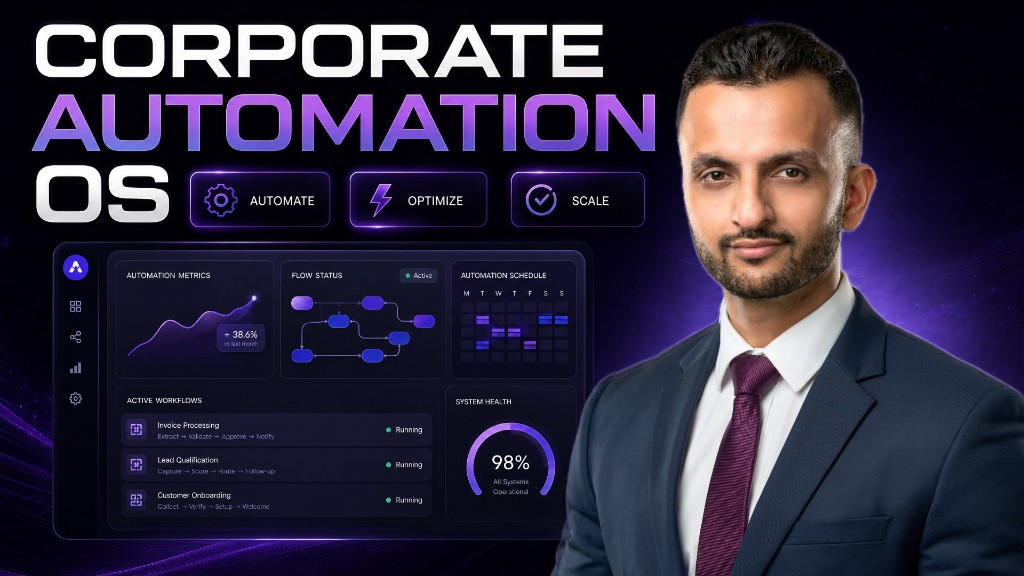
Many business owners try to build automated systems on their own, only to get lost in complex API documentation and broken code. This is why Ritesh Kanjee created the Corporate Automation OS, a comprehensive, guided program designed specifically for overwhelmed entrepreneurs. Through detailed training modules, templates, and expert support, founders learn how to build production-grade automated systems without hiring expensive development agencies.
The program guides you through the exact process of using advanced tools like Cursor to build custom team dashboards, just like the lead finder app created in Day 5 of the automation challenge. By joining a structured community of like-minded builders, you avoid common technical pitfalls and accelerate your implementation timeline drastically.
With over 121,000+ YouTube subscribers learning from Augmented AI Automations, this framework is a proven roadmap to operational freedom. You transition rapidly from theoretical ideas to fully functional, custom-built software systems that run your business on autopilot.
Frequently Asked Questions
What exactly is business automation?
It is the process of using technology and software systems to execute repetitive manual tasks automatically.
Do I need coding experience to build custom dashboards?
No, modern AI-driven code tools like Cursor allow non-technical founders to build custom applications using plain language.
How much time can I save using AI automation?
Most business owners successfully reclaim between 15 to 25 hours per week by automating their administrative workflows.
Is AI for business secure for sensitive client data?
Yes, by using secure databases like Supabase and reputable APIs, you maintain full control over your private business data.
What is the Corporate Automation OS?
It is an elite training program and community created by Ritesh Kanjee to help founders build custom automation systems.
Can small businesses afford to implement these automated tools?
Absolutely, most essential software tools like Make, Airtable, and Cursor offer free or highly affordable entry-level plans.
How do I get started with AI automation today?
You can join the free Automation Skool community to learn the foundational steps of building custom business tools.
Summary
Building a custom dashboard using Cursor and AI tools completely transforms how you manage your daily business operations. By replacing messy manual spreadsheets with a structured, automated database, you empower your team to work with maximum efficiency. Embrace the power of automated workflows today to scale your revenue, eliminate operational stress, and reclaim your personal freedom.