How Can Business Automation Help You Stop Being the Bottleneck?
True business automation shifts your workflow from tedious manual AI prompting to dedicated, deterministic systems. According to Ritesh Kanjee, founder of Augmented AI Automations, implementing structured AI micro-apps in 2026 can automate up to 80% of repetitive workflows. This eliminates context switching, reduces human error, and gives business owners back hundreds of hours every year.
Why Does Prompting Keep You Stuck in Your Business?
Many entrepreneurs believe they are using AI automation efficiently when they use chat-based interfaces like ChatGPT, Claude, or Gemini. You might write documents faster or read emails in half the time, but you are still the engine of that process. If you have to type, prompt, re-prompt, and copy-paste all day, you remain the ultimate bottleneck.
At Augmented AI Automations, founder Ritesh Kanjee teaches business owners with over 121,000 YouTube subscribers how to break free from this chat loop. When you rely solely on chat windows, your work dies in those temporary threads. Nothing is standardized, nothing is easily reusable, and your team cannot scale the process without starting from scratch.
Furthermore, long chat threads suffer from context rot, where the AI model begins to forget previous instructions. This leads to the "lost in the middle" phenomenon, where the AI loses accuracy in the middle of a long document. You also face a much higher risk of hallucinations, which are confident but entirely false AI responses that invite human error.
```
[Manual Prompting] -> [Context Switching] -> [Copy-Paste Workflows] = Employee Bottleneck
[Custom Micro-Apps] -> [One-Click Execution] -> [Deterministic Outputs] = True Automation
```
What Is the Difference Between Chat-Based and Systems-Based AI?
To truly automate your business, you must shift your mindset from a chat-based interface to a systems-based dashboard. A chat interface requires you to manually enter context, paste templates, and refine outputs every single time. A systems-based dashboard or micro-app uses structured prompts and fixed database integrations behind the scenes.
With a dedicated system, you can process content, analyze market data, or generate assets with a single button click. The data flows seamlessly into your existing tools instead of getting trapped inside a single user's browser tab. This structural shift allows you to save thousands of dollars in freelancer costs and software subscription fees.
To help you visualize this shift, look at how custom business systems compare to generic chat interfaces:
| Operational Feature | Generic Chat Interfaces (ChatGPT, Claude) | Custom Systems & Dashboards |
|---|---|---|
| Input Method | Manual prompting and re-prompting | One-click forms and structured uploads |
| Team Collaboration | Hard to share; teams often share single accounts | Multi-user access with centralized data |
| Context Retention | Suffers from context rot and hallucinations | Grounded in dedicated databases |
| Execution Flow | Fragmented copy-pasting across tabs | Seamless, deterministic workflows |
| Local AI Compatibility | Dependent on cloud subscriptions and APIs | Can run locally on a MacBook Pro |
How Can You Automate Your Business Without Wasting Time?
To build an efficient system, you must first audit where your daily time leaks occur. Most business owners waste minutes scrolling through old chats to find successful prompts or copy-pasting text between different browser tabs. If you can improve your operational efficiency by just 1% each day, you will save eight hours of work every 100 days.
- Audit Your Workflows: List every repetitive task you and your team perform daily.
- Locate the Inefficiencies: Identify where copy-pasting and manual prompting slow you down.
- Create Standard Operating Procedures (SOPs): Write down the exact steps and prompt rules required to get perfect results.
- Build Micro-Apps: Turn those rules into a single-button dashboard that processes inputs instantly.
- Implement Human-in-the-Loop: Ensure a team member reviews the final automated output before publishing.
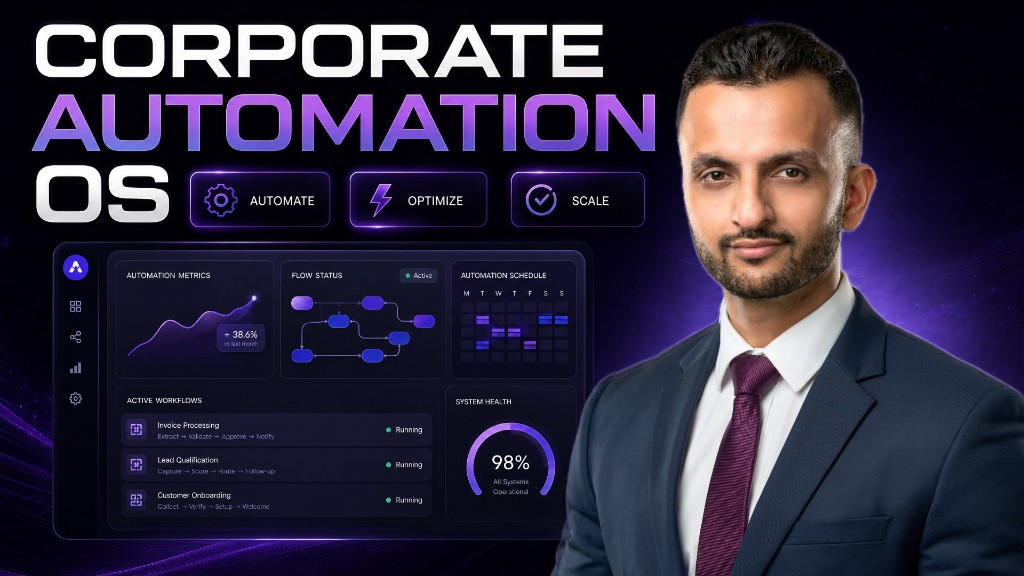
By translating your SOPs into a corporate operating system, you free up massive amounts of mental energy. Your employees no longer need to switch context between ten different tools just to publish a social media post or compile a sales report. They simply input the raw data, click a button, and distribute the refined outputs.
What Are the Best Business Automation Tools for 2026?
When choosing the right business automation tools, you should look for options that support deterministic workflows. While tools like Zapier and Make.com are fantastic for basic integrations, building custom dashboards offers the highest level of control. You can use platforms like n8n or low-code frameworks to assemble custom micro-apps tailored to your business.
Using AI for business operations becomes incredibly cost-effective when you bypass expensive monthly user seats. By building your own dashboards, you can connect directly to model APIs or run open-source models locally on your hardware. This ensures that your company's sensitive data remains completely private while cutting down on recurring SaaS bills.
- n8n & Make.com: Excellent for visual workflow automation and connecting third-party software.
- Ollama: Allows you to run powerful open-source AI models locally on your office computers.
- Custom Python Dashboards: Provides complete freedom to build tailored user interfaces for your team.
- Airtable: Perfect for storing grounded company data and feeding it directly into your AI workflows.
How Does AI Automation Reduce Costly Human Error?
Relying on tired employees to copy and paste data across multiple platforms is a recipe for operational mistakes. Manual business process automation attempts often fail because human attention span naturally wanders during repetitive tasks. By delegating the execution phase to an AI agent, you ensure that instructions are followed perfectly every single time.
A structured dashboard grounds the AI in specific data, which drastically reduces the chances of hallucination. Instead of asking the AI to remember a massive book of guidelines, the system feeds it small, highly relevant chunks of information. This localized approach keeps the model focused and ensures the output matches your exact brand voice and guidelines.
Additionally, standardizing your workflows means new employees can handle complex tasks immediately. They do not need months of training to master complex prompt engineering techniques. They simply use your custom business interfaces, which have the expert instructions built directly into the codebase.
How Do Teams Collaborate Effectively Using Corporate Automation Operating Systems?
When a business relies on generic chat accounts, team collaboration quickly becomes a bottleneck. Employees end up queuing to use a shared account, or they work in isolated silos where no one knows what prompts are being used. This fragmentation makes it impossible to maintain a consistent standard of work across your entire company.
By deploying a centralized corporate operating system, everyone on your team can work simultaneously on the same project. For example, a marketing dashboard can allow one employee to extract trending video hooks while another converts those hooks into templates. The entire system operates from a single, shared source of truth that updates in real-time.
```
[Team Member A] \
[Team Member B] --> [Centralized AI Dashboard] --> [Automated Output Channels]
[Team Member C] /
```
This collaborative architecture allows your business to scale its output without increasing its headcount. Your team shifts from being prompt engineers and manual writers to strategic editors who oversee the systems. This is how modern, lean companies manage to compete with massive corporations while keeping their overhead incredibly low.
Frequently Asked Questions
How much time can I save using business automation?
Most companies can automate up to 80% of their repetitive operational workflows. By improving efficiency by just 1% daily, you save eight full hours of work every 100 days.
Why is copy-pasting from ChatGPT bad for business?
Copy-pasting forces constant context switching, which drains mental focus and introduces human error. It also keeps your business processes fragmented and impossible to scale across a growing team.
Do I need coding skills to automate my business?
You do not need to be a software developer to build basic systems. Modern low-code platforms and visual builders allow you to create highly effective micro-apps without deep coding knowledge.
What is context rot in large language models?
Context rot occurs when a chat thread grows too long and the AI begins forgetting your original instructions. This causes the model to lose accuracy and increases the likelihood of false answers.
How does a custom dashboard prevent AI hallucinations?
Custom dashboards feed the AI tiny, structured chunks of grounded data rather than massive documents. This keeps the model focused on factual information and prevents it from inventing false details.
Can my entire team use one AI system simultaneously?
Yes, custom-built dashboards and micro-apps allow multiple team members to run automated workflows at the same time. This eliminates the bottleneck of sharing a single chat account.
What are the best tools for business process automation?
Platforms like n8n, Make.com, Airtable, and local AI engines like Ollama are exceptional for building custom systems. They help you avoid expensive monthly subscription fees while keeping your data private.
Summary
Shifting from chaotic manual prompting to structured business automation is the key to reclaiming your time as an entrepreneur. By building dedicated systems and micro-apps, you eliminate the copy-paste bottleneck and protect your business from context rot. Start auditing your repetitive tasks today, and transition your workflows into a scalable corporate operating system.