How I Built an AI Social Media Agent? (n8n Guide)
Imagine this scenario…
You create a piece of content using an AI agent. That content gets saved automatically to your Google Drive. Then, without you clicking a single button, another agent picks up that file and uploads it straight to LinkedIn, X (Twitter), Facebook, and Instagram.
You are no longer the bottleneck.
This is Part 8 of our Ultimate AI Agent series. We are building an agent capable of controlling almost anything — checking emails, managing files, creating content, and handling calendars.
Today, we focus on the Social Upload Agent.
We are moving away from Level 1 manual tasks. We are building a Level 3 system where your AI works autonomously.
Here is exactly how I implemented this in n8n.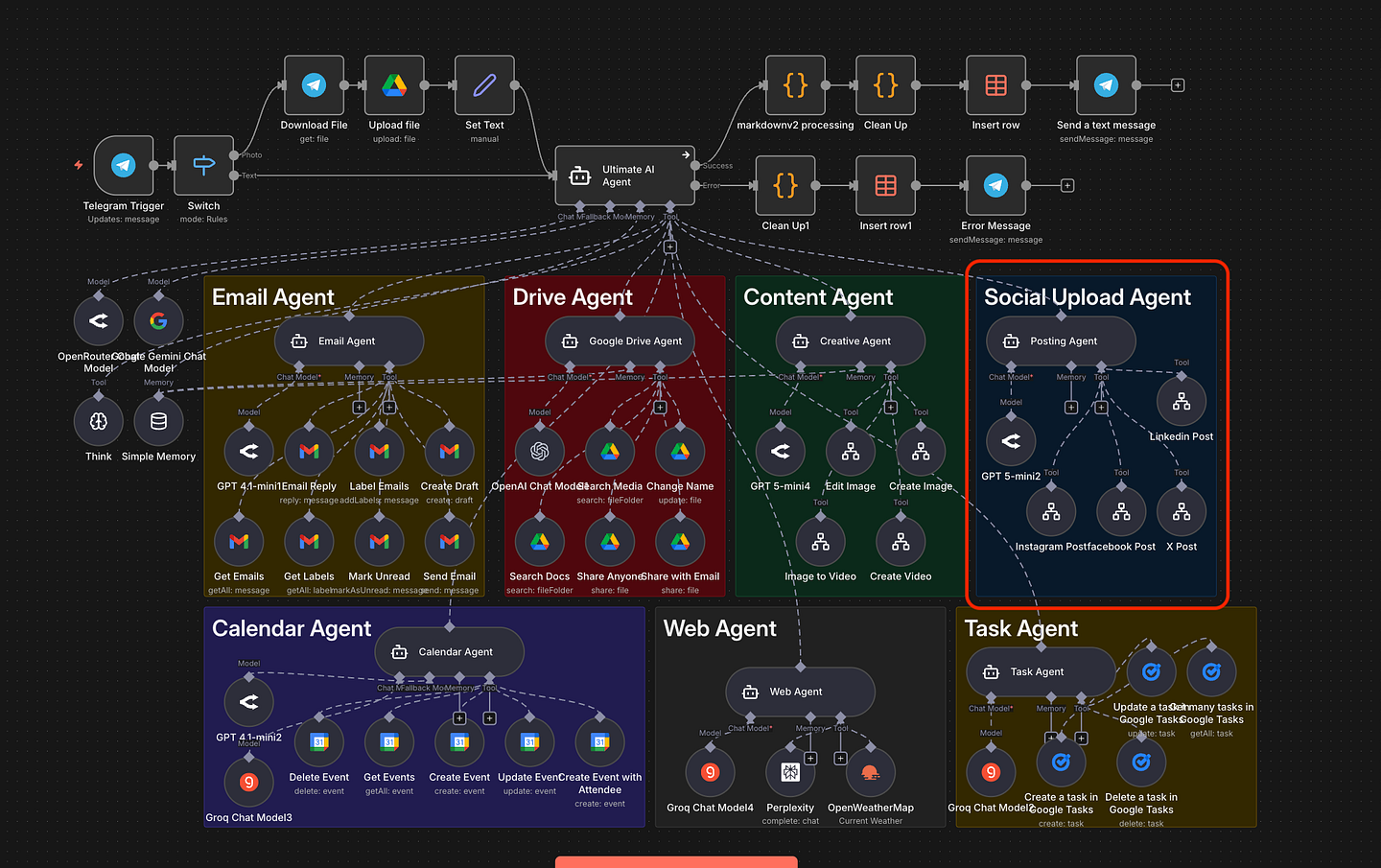
The goal is simple. We need an agent that takes a file from Google Drive and pushes it to your social channels.
To make this work, the agent needs three specific inputs:
- File ID: The location of the image or video in Google Drive.
- Post Caption: The text generated for the post.
- Target Platform: Where this content needs to go (LinkedIn, X, Facebook, etc.).
We define the prompt in the model. This allows the AI to decide how to interact with the tools we give it. It figures out the routing logic on its own.
There are two ways to architect this solution. The choice depends on your budget and your patience.
There are tools out there like GetLate(bad customer service), Blotato or specialized API aggregators.
These services connect to all your social platforms for you. You just send the data to them, and they handle the distribution. It is clean. It is fast.
But there is a catch.
You will pay a monthly subscription fee. This can range from $29 to $39 per month depending on the service. For a Corporate Innovator focused on ROI, adding recurring costs for something you can build yourself might not make sense.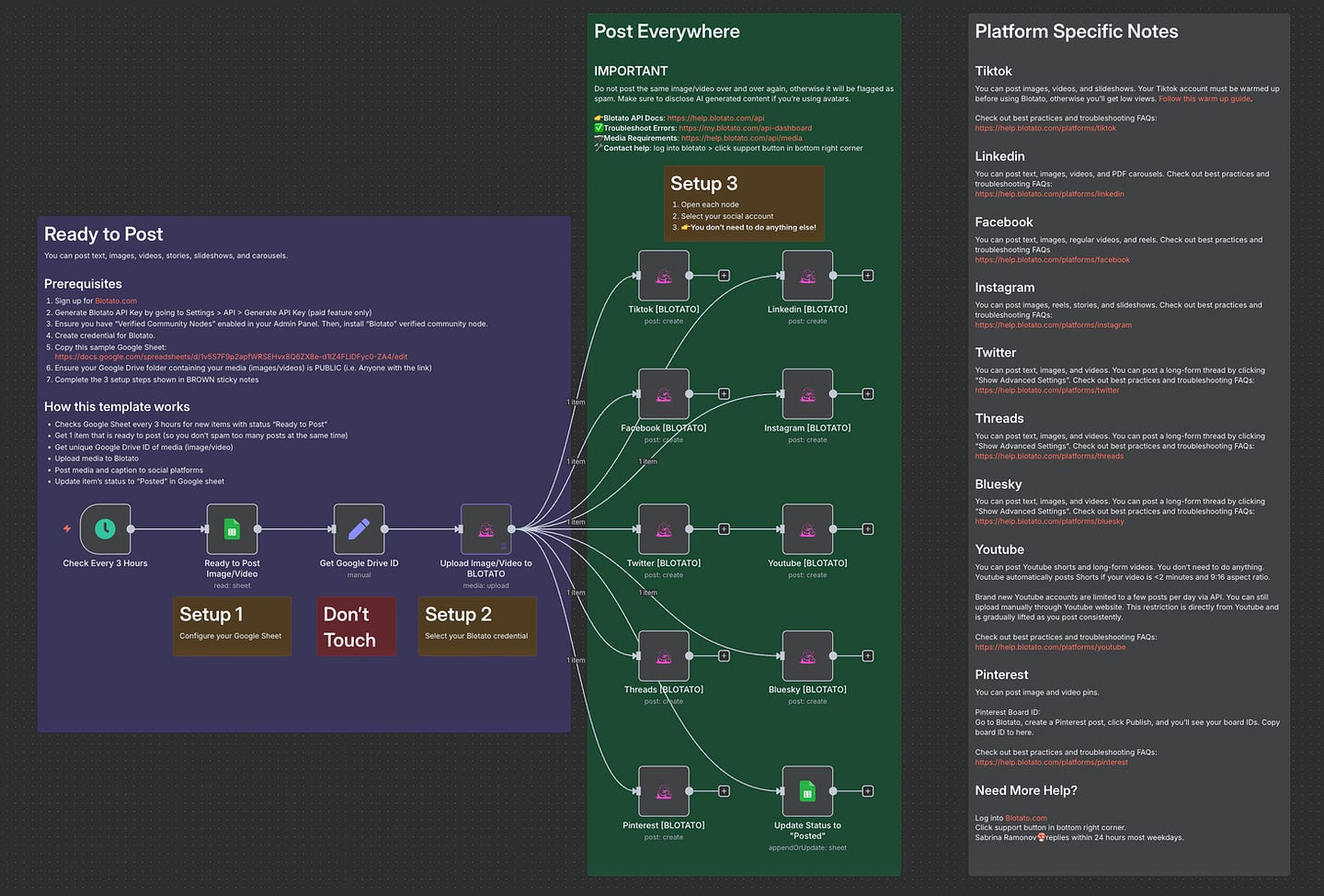
This is the method I use in this workflow.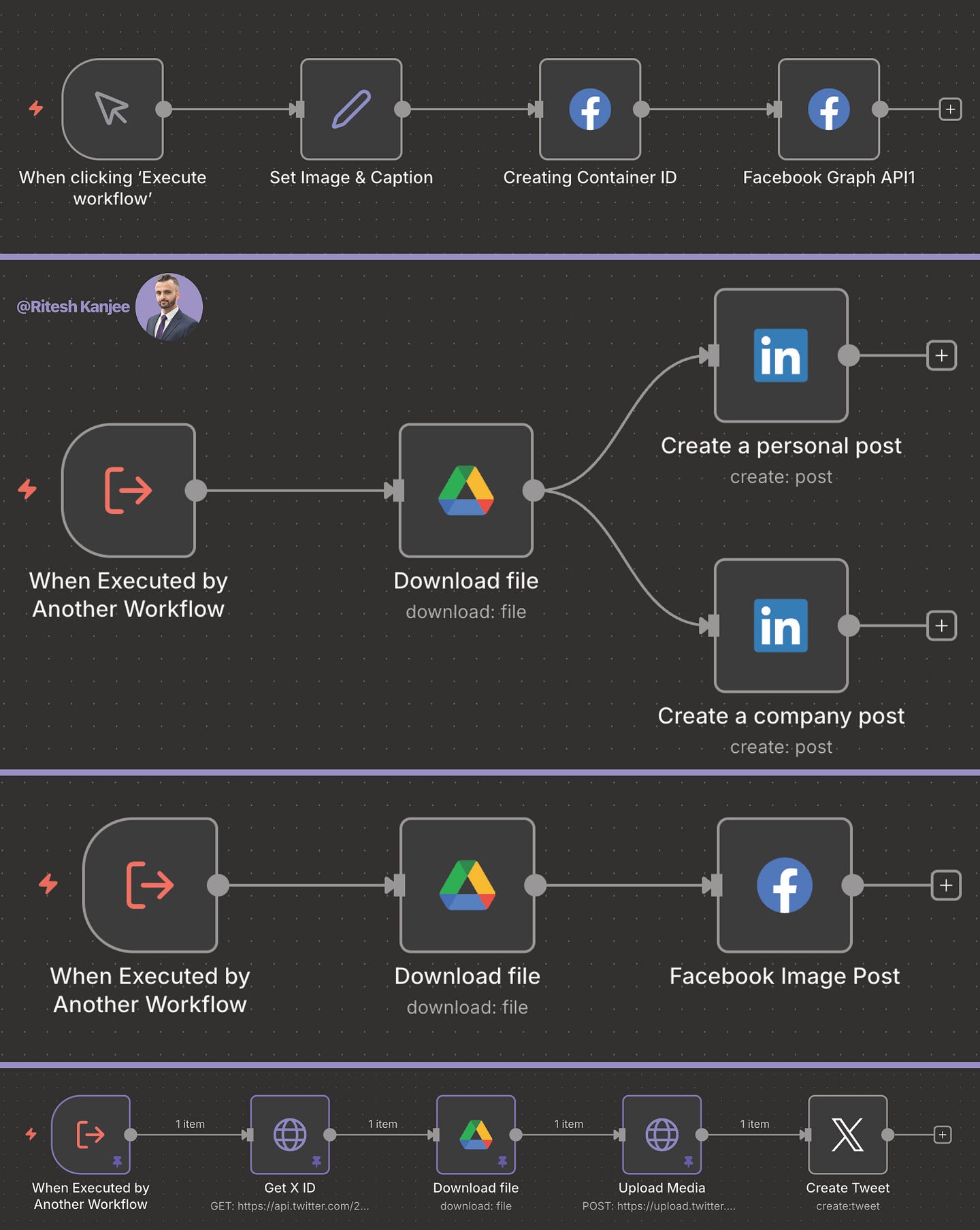
We connect directly to the platforms using their native APIs within n8n.
- LinkedIn: Uses a specific node requiring a Client ID and Client Secret.
- X (Twitter): Requires API credentials to upload media and post tweets.
- Facebook & Instagram: Uses the Graph API (v23.0).
The Reality of Native APIs I won’t lie to you. This is the hardest way to set it up.
You have to go into the developer portal for each social network. You have to create an app. You have to generate keys. You have to handle authentication.
It is tedious.
However, once it is done, it is free. You own the pipe. You are not renting access to your own audience.
It was tricky at first to set up the authentication for each platform. So if you are not tech savvy, I will have the full detailed instructions in our Corporate Automation Library (CAL) which hosts the n8n code and steps required to get this running on your server. Click Here to gain access to CAL. We have over 50+ high impact, high ROI automations with 2–4 corporate automations uploaded weekly.
Let’s look at how this operates in a live environment.
I start in Telegram. I send a message to my agent:
“Post the file ‘n8n workflow’ to LinkedIn with the text: This is an n8n workflow by Ritesh Kanjee from Augmented AI.”
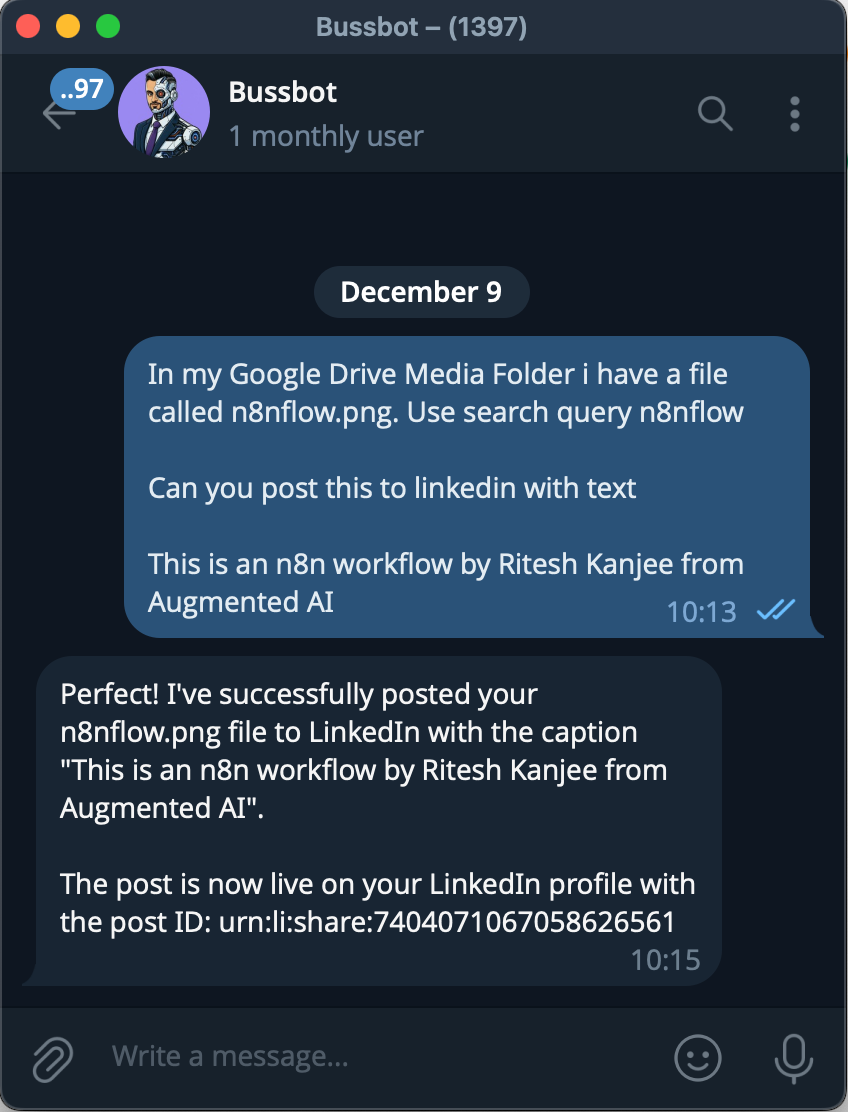
Here is what happens in the background:
- Search: The agent triggers the Google Drive tool. It searches for a file named “n8n workflow.”
- Retrieval:It finds the image and grabs the File ID.
- Creation: It sends the File ID and my caption to the Posting Agent.
- Posting: The Posting Agent activates the LinkedIn node.
In my test, the agent found the file after a few attempts (AI search can be fuzzy). It then successfully contacted LinkedIn.
I checked my LinkedIn profile immediately after. There it was. A new post, with the correct image and my caption, posted 1 minute ago.
This is where we move from Level 2 (Process Automation) to Level 3 (Departmental Systems).
You don’t have to tell the AI exactly which buttons to click.
You have a router.
The model decides:
“Okay, Ritesh asked for a file. I need to go to Google Drive first. I need to get that ID. Then I need to send that ID to the Posting Agent.”
You can build this deterministically (Step A -> Step B -> Step C). That is safe.
But letting the agent handle the routing allows for complexity. It can handle vague requests. It can adapt if a step fails.
We are slowly building a “God Mode” agent.
We have covered email, files, calendar, content, and now social media distribution.
We have two more critical agents to cover in this series:
- Home Assistant Agent: Controlling the physical environment.
- Social Scraping Agent: Listening to the market.
If you are stuck at Level 1, manually dragging images from folders to LinkedIn, stop. You are wasting valuable strategic time.
Build the system. Own the infrastructure.
Ritesh Kanjee | Automations Architect & Founder
Augmented AI (121K Subscribers | 58K LinkedIn Followers)