
Last updated: 21 October 2026. Written by Ritesh Kanjee, director of Augmented AI.
Marketing automation AI uses AI models inside your marketing workflows to create content, run outreach and qualify leads with less manual effort. At Augmented AI we set it up as eight connected systems, from content repurposing and lead enrichment to nurturing, chat and analytics. Each system runs on its own, and people step in where judgement matters.
Deploying marketing automation AI allows your business to scale content, outreach, and lead nurturing without hiring a human team. At Augmented AI, we build customized, autonomous workflows that handle everything from dynamic cold outreach to real-time lead qualification. This 8-system blueprint eliminates overhead, drives 24/7 client acquisition, and runs entirely on autopilot.
What is Marketing Automation AI?
Traditional marketing systems rely on rigid "if-this-then-that" rules. If a prospect downloads an ebook, the software sends Email A. If they do not, the software sends Email B. This outdated approach fails because human behavior is rarely linear or predictable.
Modern marketing automation AI replaces these rigid pathways with cognitive workflows. These systems use Large Language Models (LLMs) to interpret the context, sentiment, and intent of prospect interactions in real time. Instead of matching a user to a static template, the AI dynamically creates a bespoke experience for every single lead.
By integrating agentic workflows, businesses can now automate complex decision-making processes. The AI analyzes incoming data, determines the next best action, and executes it across multiple platforms instantly. This transition from static automation to intelligent, autonomous execution is what allows companies to scale operations without expanding their headcount.
How Does Marketing Automation AI Actually Work?
The backbone of a modern AI marketing stack consists of four key components operating in a continuous loop. These are data ingestion, contextual reasoning, API action execution, and real-time learning.
First, the system ingests data through webhooks, scraping tools, and database integrations. When a prospect interacts with your website, submits a form, or mentions your brand on social media, the raw data is instantly captured. This information is passed directly to the orchestration layer, typically built on platforms like Zapier.
Second, the system uses cognitive reasoning engines like OpenAI’s GPT 5.6 Sol or Claude Sonnet 5. The raw data is paired with custom system prompts that define your brand voice, offer, and ideal customer profile (ICP). The AI processes the information, extracting key pain points, sentiment, and buying signals to draft a personalized response or trigger a specific business logic.
Finally, the orchestrated system triggers an API call to your distribution channels. This might write a customized record to your CRM, queue a hyper-personalized email in your outbound sender, or post high-value social media content. The entire cycle completes in less than five seconds, executing complex marketing workflows at a fraction of the cost of human labor.
What Are the 8 AI Marketing Systems Running Without a Team?
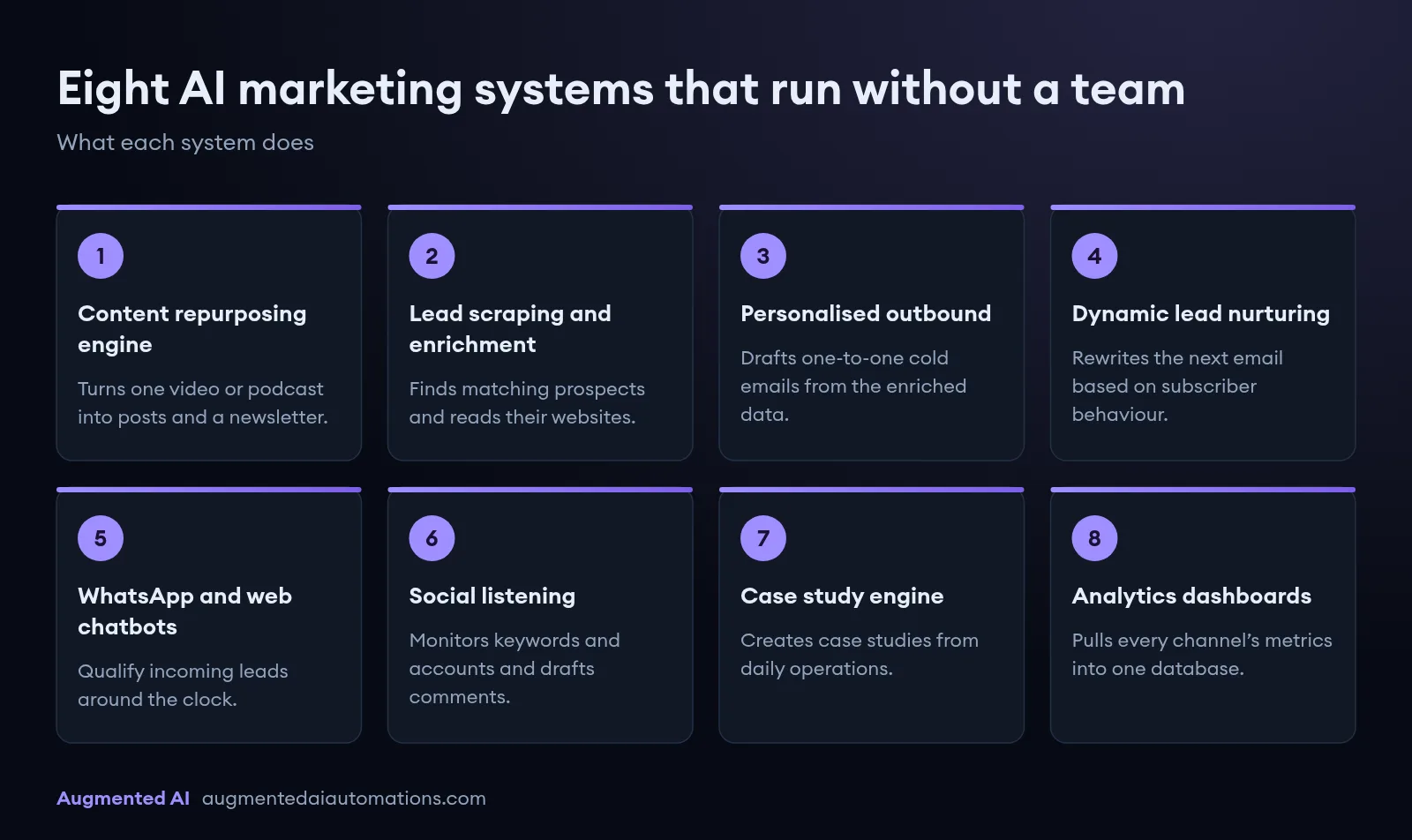
1. The Autonomous Content Repurposing Engine
This system turns a single raw asset, such as a video or podcast, into a multi-channel content machine. The workflow begins when you upload an audio or video file to a designated folder in Google Drive or Dropbox.
An automated trigger sends the file to Whisper API for high-accuracy transcription. Once transcribed, Claude Sonnet 5 analyzes the text to extract the core thesis, supporting arguments, and practical takeaways. It then reformats this single transcript into three distinct LinkedIn posts, five X (formerly Twitter) posts, and a structured, SEO-optimized newsletter.
The system automatically pushes these generated assets into a scheduling tool like Metricool or Buffer. It schedules them according to peak engagement times, maintaining an active, authoritative social presence without any human editing required.
2. High-Intent Lead Scraping and Semantic Enrichment
Finding qualified leads is traditionally a manual, repetitive task. This system automates the entire sourcing pipeline by connecting scrapers like PhantomBuster or Apollo directly to your enrichment tools.
The workflow monitors target data sources, such as LinkedIn Sales Navigator, for job changes, funding rounds, or specific hiring patterns. Once a target profile matches your criteria, the system pulls the contact's company website and feeds it into an LLM.
The AI reads the prospect's homepage to extract their core business model, key value proposition, and likely operational bottlenecks. It then categorizes the lead into a specific segment, ensuring that your outbound messaging addresses their actual, real-time challenges.
3. Hyper-Personalized Outbound Prospecting
Standard templates result in low reply rates and damaged domain reputations. This outbound engine uses the enriched data gathered in System 2 to draft custom, one-to-one cold emails.
Instead of inserting simple merge tags like "First Name" and "Company," the AI writes custom sentences based on the prospect's recent LinkedIn activity or company news. It connects the prospect’s current initiatives directly to your specific business solution.
The drafted email is passed through a quality control prompt to check for spam triggers, professional tone, and clarity. Once approved, the system pushes the email to Smartlead or Instantly for delivery, scaling personalized outreach to hundreds of accounts daily.
4. Dynamic Lead Nurturing and Behavioral Re-Writing
Most email nurture sequences are static, treating every subscriber the same way regardless of their specific interests. This system changes your email copy dynamically based on real-time subscriber behavior.
When a user interacts with your emails or visits your website, their behavior is logged in your CRM. The AI analyzes these tracking events to determine the subscriber's current stage in the buying cycle and their specific interest areas.
It then dynamically rewrites the next email in the queue to focus on those exact topics. For example, if a lead views your pricing page, the AI adjusts the upcoming email to address budget objections and highlight ROI case studies.
5. 24/7 Conversational WhatsApp and Web Chatbots
Leads grow cold within minutes of initial contact. This system deploys intelligent, conversational agents on your website and WhatsApp business accounts to qualify incoming traffic instantly.
These bots are trained on your company's internal documentation, FAQs, and product catalogs. When a lead asks a question, the bot provides an accurate, context-aware response instead of a generic template.
As the conversation progresses, the AI gently guides the user through your qualification framework. If the prospect meets your criteria, the bot displays a calendar link and books a call directly into your sales team’s schedule.
6. Social Listening and Automated Authority Commenting
Building authority on social media requires consistent, high-value engagement on industry-relevant posts. This system monitors target platforms for specific keywords, phrases, or influencer accounts.
When a relevant post is detected, the API pulls the text and sends it to your AI engine. The AI analyzes the post and drafts an insightful, value-add comment that matches your personal brand voice.
The draft is sent to a Slack channel for a quick "one-click" approval from you, or deployed autonomously. This keeps your brand visible in highly relevant conversations, driving organic profile views and inbound leads daily.
7. The Automated Case Study and Social Proof Engine
Client success stories are highly effective sales tools, but writing them is often delayed. This system automates the creation of high-impact case studies directly from your daily operations.
The workflow monitors your internal client Slack channels or project management boards for positive feedback and milestone achievements. When a win is detected, the AI extracts the key metrics, client quotes, and project parameters.
It structures this data into a professional case study template. The system then publishes the new asset to your resource library and queues a summary post for your social media channels.
8. Autonomous Analytics and Strategy Dashboards
Raw data is useless without actionable analysis. This system compiles performance metrics from all your marketing channels into a single, unified database.
Every Monday morning, the AI pulls data from your ads, email outreach, social platforms, and CRM. It analyzes the performance trends, identifying which campaigns are driving revenue and which are wasting budget.
The AI then drafts an executive summary detailing what worked, what failed, and what strategic adjustments to make. It delivers this report directly to your inbox, giving you clear direction without requiring hours of manual spreadsheet analysis.
AI Systems vs. Traditional Marketing Agencies: Which Wins?
To build a predictable growth engine, you must evaluate the efficiency of your marketing operations. Relying on traditional agencies often introduces communication delays, high overhead costs, and inconsistent execution.
In contrast, marketing automation AI operates with speed, precision, and absolute predictability. This setup does not require sick leave, onboarding, or monthly performance reviews. It processes data instantly, publishing content and responding to leads in real time.
| Metric / Feature | Traditional Marketing Agency | Marketing Automation AI |
|---|---|---|
| Content Turnaround Time | 3 to 7 business days per asset | Under 30 seconds from trigger |
| Operational Availability | 40 hours per week (business hours) | 24/7/365 continuous execution |
| Outbound Email Speed | Manual batching, highly repetitive | 50+ personalized campaigns in 12 mins |
| Lead Response Time | 2 to 24 hours average | Under 5 seconds (instant qualification) |
Transitioning to automated systems reduces your operational costs significantly while drastically increasing your output. Instead of managing human teams and creative bottlenecks, you can focus on high-level strategy and closing qualified deals. If you want to deploy these systems in your business, you can Work with Augmented AI to build out your custom automation infrastructure.
How Do You Set Up a Marketing Automation AI System?
Step 1: Define Your Operational Stack and Data Flows
Start by mapping out every tool you currently use for outreach, lead generation, and content storage. Ensure that all your chosen platforms have open, well-documented API connections. Identify your central orchestration platform, to act as the primary traffic controller for your workflows.
Step 2: Establish Your Data Ingestion and Scraping Triggers
Set up automated triggers to capture new leads and market signals as they happen. For outbound marketing, connect your lead sources to a central Google Sheet or webhook. Ensure that your scraper collects deep, rich data points, including company descriptions, recent news, and exact job titles.
Step 3: Architect Context-Aware Prompts
Create robust system prompts for your AI engines to ensure consistent, on-brand outputs. Define the target persona, the desired tone of voice, explicit style constraints, and the expected output format (such as JSON or Markdown). Test your prompts inside a playground environment before deploying them to live production lines.
`
System Prompt Example:
You are an expert B2B copywriter representing Augmented AI.
Analyze the provided company description and extract one specific bottleneck related to manual data entry.
Draft a brief, casual 3-sentence outreach email offering a custom automation solution.
Do not use corporate jargon, generic greetings, or spam-trigger words.
`
Step 4: Configure the Integration Pathways
Connect your AI output blocks to your active delivery channels. Map the AI-generated variables to the correct fields in your CRM or email sending software. Set up conditional routers in a workflow tool to handle exceptions, ensuring the system runs smoothly even if an API call fails.
Step 5: Implement Quality Control Guardrails
Before fully automating your systems, add a manual approval step to your workflows. Route all AI-generated copy, social posts, and outreach drafts to a dedicated Slack channel or Airtable review board first. Once the system consistently meets your quality standards, remove the approval step to transition to fully autonomous execution.
How Does Custom Automation Compare to Traditional Schedulers?
Many businesses pay hundreds of dollars per month for tools like Buffer, Hootsuite, or Social Bee. While these platforms are useful for manual scheduling, they fail to leverage custom AI workflows.
The comparison below highlights why custom API-driven engines are more efficient for growing brands.
| Operational Feature | Traditional Schedulers (Buffer, Hootsuite) | Custom AI Distributor Dashboard |
|---|---|---|
| Pricing Structure | Up to $50+/month for multiple channels | Low-cost API usage (pay only per token used) |
| AI Personalization | Basic, generic rewrites using standard templates | Custom frameworks (PAS, SLAYT) matching your voice |
| Vision & Alt-Text | Manual input required for every image | Automatic generation using vision-based LLMs |
| System Integration | Closed ecosystem; difficult to link with external databases | Direct integration with Claude, Descript, and internal databases |
| Data Privacy | Data processed on third-party cloud servers | Optional offline execution via local models (LM Studio) |
How to Set Up Your Daily AI Marketing Automation Stack
Setting up this system requires combining accessible developer tools with robust API connections. You do not need to be an expert programmer to build and deploy this workflow in your business.
Step 1: Code Generation with Cursor
We build our frontend applications using Cursor, an AI-first code editor. By prompting Cursor, you can quickly generate a clean user interface that manages your media uploads and API requests. Simply ask Cursor to install the necessary dependencies, and it will set up your local development environment automatically.
`
┌───────────────┐
│ Cursor IDE │
└───────┬───────┘
▼
┌───────────────────────────┐
│ Read/Write System Files │
└─────────────┬─────────────┘
▼
┌───────────────────────────┐
│ Automatic Dependency Inst.│
└─────────────┬─────────────┘
▼
┌───────────────────────────┐
│ Local Dev Server │
└───────────────────────────┘
`
Step 2: Establish the OpenRouter Connection
Instead of hardcoding a single AI provider, we connect our dashboard to OpenRouter. OpenRouter acts as a universal gateway, allowing us to swap between models like Claude Sonnet 5, Gemini 3.5 Flash, and GPT 5.6 Sol on the fly. This ensures your stack remains future-proof as newer, faster models are released.
Step 3: Define Global Defaults and Prompts
Inside the settings panel, we configure global system prompts that instruct the AI on how to behave. This is where we load our tested, viral copywriting prompts. Once configured, every raw transcript you paste into the app is automatically processed using your exact brand guidelines.
Why Are Manual Business Processes Drastically Limiting Your Growth?
Many ambitious business owners work fifteen hours a day just to keep their operations afloat. They spend valuable time copying data between spreadsheets, sending repetitive emails, and tracking down leads. This manual approach creates massive operational bottlenecks that make sustainable scaling completely impossible.
Free auditGet your free auditWe look at one process and tell you if it is worth automating.Get your free auditWhen your energy is consumed by daily administration, you cannot focus on high-level strategic growth. Human error also sneaks into repetitive tasks, leading to lost customer leads and missed revenue opportunities. Relying entirely on manual labor limits your operational capacity to the number of hours you can physically work.
To break free from this exhausting cycle, you must shift your operational paradigm completely. Embracing modern systems allows you to transition from an exhausted operator to a strategic executive.
Why You Need a Custom Lead Finder Dashboard Instead of Messy Spreadsheets?
Most lead generation campaigns start as chaotic spreadsheets overflowing with unorganized, raw data. These documents quickly become disorganized, difficult to navigate, and nearly impossible for your sales team to use efficiently. A disorganized lead tracker directly leads to missed follow-ups and lost revenue opportunities.
```
[Raw Lead Data] ──(Cursor AI Database)──> [Unified Custom Dashboard] ──> [One-Click Outreach]
```
Transitioning your lead pipeline into a custom, centralized dashboard changes the operational dynamic entirely. A clean, user-friendly interface allows your team to filter, score, and contact high-value prospects in just a few clicks. This structured approach ensures that no profitable lead ever slips through the cracks again.
Furthermore, custom dashboards can be tailored to match your specific team workflows perfectly. You no longer have to force your business logic into rigid, pre-built software platforms. Instead, you build a lightweight, targeted tool that solves your exact operational pain points.
Introducing the Augmented AI Content Marketing Dashboard: Your Strategic Content Hub
Our custom-built content marketing dashboard represents a paradigm shift in how entrepreneurs can approach content creation. It’s not just a tool; it's a holistic content marketing engine engineered for operational efficiency and brand consistency.
Brand-Centric Customization at Its Core
A fundamental flaw in generic AI tools is their inability to deeply embed a brand's unique identity. Our dashboard resolves this by making brand consistency central to its operation. For clients like Lucid View, we customize the engine with:
- Ideal Client Profile (ICP): Detailed understanding of target audiences.
- Standard Operating Procedures (SOPs) for Content Generation: Ensuring every piece aligns with established best practices.
- Core Branding Notes: Specific guidelines on tone, style, and messaging.
- Linguistic Directives: For example, generating content in "fifth grader language," focusing on benefits over features, and strictly avoiding technical jargon.
This deep level of customization ensures that every generated asset speaks directly to the brand's audience in its authentic voice, eliminating the need for extensive human editing to enforce brand guidelines.
Model-Agnostic Flexibility
The AI landscape is rapidly evolving, with new, more powerful AI models emerging constantly. Our dashboard is designed to be model-agnostic, providing entrepreneurs with the flexibility to choose the best tool for the job. Users can select from a range of leading models, including:
- OpenAI's advanced iterations
- Claude 4.5
- Gemini 3 Pro
- The highly efficient Kimik 2.5
This ensures that your content engine remains future-proof, always leveraging the cutting edge of AI technology.
ICP-Specific Content Generation for Diverse Audiences
Many businesses cater to multiple Ideal Client Profiles (ICPs), each requiring a distinct content approach. Our dashboard excels in this area. For Lucid View, with ICPs targeting parents, businesses, and schools, the system generates ideas and content specifically tailored to each segment. This allows entrepreneurs to penetrate diverse markets with precision, ensuring messages resonate deeply with their intended recipients.
The End-to-End Content Generation Process: From Idea to Publication
The true power of our augmented AI content marketing dashboard lies in its ability to orchestrate every stage of the content lifecycle, from initial concept to multi-platform publication.
Strategic Idea Generation and Management
The process begins with robust idea generation. The dashboard can propose a multitude of content ideas, which can then be filtered and prioritized based on various criteria, such as "most generated content," to identify high-performing themes and topics.
Dynamic Image Generation
Visuals are paramount in captivating modern audiences. Our image generator component offers unparalleled control:
- Basic Visual Concept and Base Prompt: Start with a core idea.
- Prompt Expansion and Refinement: Automatically generated prompts can be expanded and refined to enforce brand colors (e.g., muted teal), specific visual elements (e.g., Netflix on a home screen), or contextual details.
- Style and Aspect Ratio Customization: Choose from photorealistic, digital art, minimalistic, or clean styles. Optimize aspect ratios for various social media platforms, including specific dimensions for thumbnails.
- High-Resolution Output: Leverage advanced models like Google's Nano Banana Pro and Cling Image for high-fidelity resolutions, up to 1K.
For a client like Lucid View, this translates into visually compelling images that instantly convey concepts such as "Wi-Fi sleep settings" to prevent late-night scrolling, perfectly aligning with their messaging for parents and businesses.
Intelligent Video Generation
Video content is increasingly critical for engagement. The dashboard streamlines video production through:
- Script Generation Settings: Define the number of scenes, their duration (e.g., 5-12 seconds), narrative style (narrative, conversational, punchy, documentary), and select various voiceovers.
- Editable Scripts: Full control to edit and refine the generated script.
- Automated Video and Voiceover Syncing: The system automatically generates the video and syncs it with the chosen voiceover.
- Scene Management: Easily collapse, rearrange, and edit individual scenes.
- Advanced Video Models: Utilize cutting-edge models like Cling (with upcoming Version 3) and Kenc Version 2 for high-quality output.
Once generated, videos are ready for download and immediate deployment, saving countless hours typically spent in video editing suites.
Future-Forward Carousel Generation
While still in development, our carousel generator promises to deliver on-demand, engaging multi-image posts, further expanding the visual content capabilities of the dashboard.
SEO-Optimized Article Generation
For long-form content, our article generator is a powerhouse, focusing on discoverability and audience value:
- SEO, GEO, and AEO Optimization: Articles are crafted not only for search engine optimization (SEO) but also for Geographic (GEO) and Answer Engine Optimization (AEO). This means your content is primed to rank highly in traditional search results, locale-specific queries, and conversational AI interfaces, ensuring that when someone asks a question about "content filtering," your article is among the top references.
- Automatic Call-to-Action (CTA) Embedding: Key calls to action are seamlessly integrated into the article.
- Flexible Editing and Output: Articles can be edited using Markdown format, copied, downloaded, or even requested as custom pieces.
- Intelligent Tagging: Automatically generated tags enhance content organization and searchability.
For instance, an article on "implementing a digital bedtime" for homes not only educates parents but also serves as an authoritative resource for AI assistants.
Concise Text Post and Hook Generation
Social media requires specific content formats:
- Text Post Generation: Posts are optimized for readability, often keeping lines under 10 words, ideal for platforms like LinkedIn where users skim quickly.
- Engaging Hook Generation: The dashboard generates multiple compelling hooks designed to grab attention immediately. Examples include "Instead of confiscating devices every night, do this for your Wi-Fi router," or "This feels illegal to know: your Wi-Fi sleep setting that stops late night scrolling without touching a single phone." These hooks are crafted to maximize initial engagement and click-through rates.
Related Resources
Frequently Asked Questions
What exactly is marketing automation AI?
It refers to software systems that use artificial intelligence to run marketing campaigns dynamically. Unlike old-school tools that rely on rigid, preset rules, AI-driven automation adapts its messaging and actions in real time based on user behavior and context.
Can AI completely replace my marketing team?
Yes, it can handle nearly all execution, content production, outbound prospecting, and lead nurturing tasks. This allows you to scale your business with a lean team focused on strategy and closing deals.
What tools do I need for this setup?
You will need an integration platform like AI reasoning engines like OpenAI or Anthropic, and targeted outreach software. These systems connect your tools to build automated, intelligent workflows that run without human input.
Is AI cold outreach considered spammy?
No, because modern systems write highly personalized, relevant emails for each prospect based on actual data. This targeted approach avoids the generic blast templates that typically trigger spam filters and annoy prospects.
How much does this system cost to run?
Running these workflows costs between $150 and $400 per month in API and platform fees. This is a tiny fraction of the cost of hiring a full agency or human marketing team.
Do I need coding skills to build this?
You do not need advanced coding skills, but a solid understanding of APIs, webhooks, and visual development tools is helpful. Partnering with specialists can help you set up and scale these complex workflows quickly.
How long does it take to implement?
A complete, custom-built 8-system automation stack is typically built, tested, and deployed within three to six weeks. Once live, the workflows start driving and qualifying leads immediately.
Summary
Implementing marketing automation AI allows your business to run outbound, content, and nurturing campaigns 24/7/365 without human bottlenecking. By replacing traditional agencies with autonomous, integrated workflows, you reduce operational overhead significantly while scaling your total output. To deploy these systems and transform your client acquisition pipeline, Work with Augmented AI today.