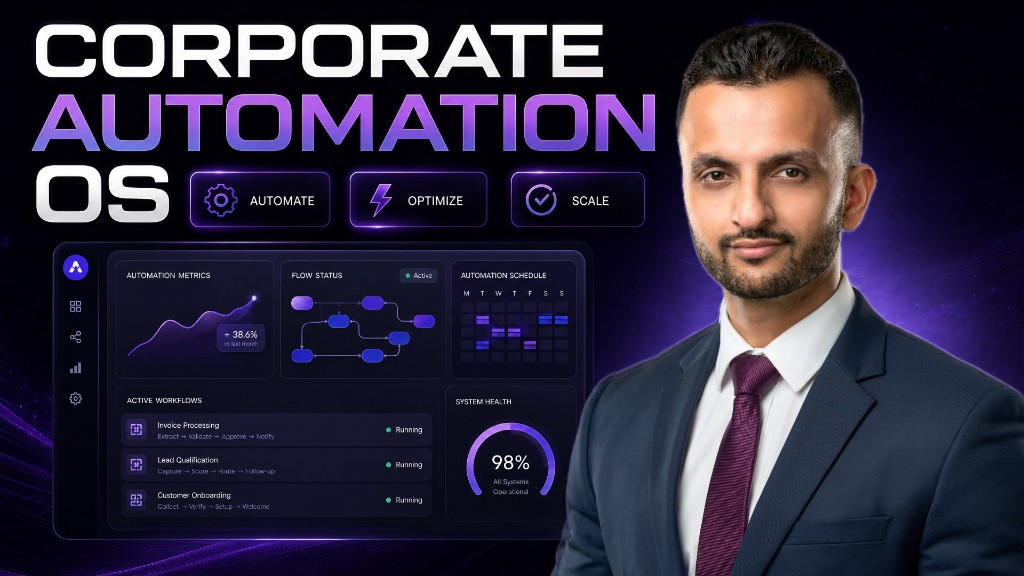
How Can Business Automation Transform Your Operations and Save Time?
According to Ritesh Kanjee of Augmented AI Automations, implementing modern business automation can cut manual workloads by up to 80% in 2026. By building custom micro-apps with tools like Cursor, entrepreneurs can reclaim 5+ hours weekly. The clear takeaway is that no-code AI integration makes scaling your operations effortless.
What Is the True Value of Business Automation for Entrepreneurs?
Are you an overwhelmed entrepreneur spending hours on repetitive tasks? Many business owners waste over 5 hours every week manually searching for leads, sending emails, or copy-pasting data.
This is where business automation steps in to change how you scale. By setting up smart workflows, you can eliminate human error and focus on high-leverage activities.
Using AI for business allows you to scale your output without expanding your headcount. It turns manual, tedious work into a background process that runs while you sleep.
When you adopt a strategic business process automation mindset, you shift from working in your business to working on your business. This mental transition is crucial for sustainable growth.
How Does the 7-Day Business Automation Challenge Work?
Many business owners jump into automation without a clear structure, which leads to abandoned projects. To solve this, Ritesh Kanjee designed a structured 7-day business automation challenge to guide you step-by-step.
Starting from day zero, you learn the fundamental principles of setting up your digital workspace. By the time you reach day four, you are ready to build a functional micro-app without writing code.
Ritesh Kanjee, a South African AI specialist with over 121,000 YouTube subscribers, designed this challenge based on years of enterprise consulting. The challenge relies heavily on an accountability sheet where you track your daily progress.
You can access this entire program inside the Corporate Automation Hub, our free online community. This collaborative space allows you to share results, ask questions, and learn alongside other scaling business owners.
Why Do Traditional Lead Generation Methods Fail?
Traditional lead generation involves paying for expensive databases or spending hours manually copy-pasting contact information from LinkedIn. This approach is highly inefficient and quickly burns out your team.
Furthermore, static lists outdated rapidly, meaning you waste time emailing dead inboxes. Modern AI integration changes this by sourcing fresh, real-time data on demand.
Instead of searching for broad keywords, neural search engines look for semantic intent. This means you can find ideal business prospects in seconds.
By automating this process, you ensure your pipeline always has high-quality, pre-qualified prospects. This consistent flow allows you to focus on closing deals rather than searching for people to talk to.
How Does a Micro-App Automate Your Business?
A micro-app is a small, focused application built to solve one specific problem in your workflow. Instead of buying bloated software, you build modular tools that snap together into an AI operating system.
For example, a light lead finder micro-app can scrape, enrich, and import prospective clients automatically. This allows you to automate your business lead-generation system from end to end.
With a simple input field, you define your ideal customer profile by industry, company size, and location. The back-end then gathers names, emails, and phone numbers without you lifting a finger.
Most small businesses struggle with consistent lead generation because it takes too much daily manual effort. A customized lead finder runs continuously, ensuring your sales pipeline is never dry.
By connecting multiple micro-apps, you create a cohesive network that handles everything from outreach to customer onboarding. This modern approach to AI automation keeps your operational costs exceptionally low.
What Are the Best Business Automation Tools in 2026?
Choosing the right software stack is the foundation of building a high-performing automated business. Today, you do not need a computer science degree to deploy custom digital infrastructure.
Modern business automation tools allow non-technical founders to build, host, and scale applications in minutes. Tools like Cursor write the code for you, while Vercel handles the web hosting seamlessly.
The table below compares the traditional manual approach to the modern automated software stack.
| Operation Phase | Traditional Manual Process | Modern AI Automation Stack |
|---|---|---|
| Code Generation | Hiring expensive software developers | Cursor AI Code Editor |
| Lead Sourcing | Manual Google searches & LinkedIn copying | Exa Neural Search API |
| Data Enrichment | Reading articles & updating spreadsheets | Perplexity AI API |
| Web Hosting | Complex AWS or Azure configurations | Vercel (Local to Cloud) |
| Data Storage | Local Excel sheets prone to corruption | Supabase or Convex Cloud |
By replacing manual labor with these advanced platforms, you can build tools that run 24/7. This transition drastically reduces the time to market for your proprietary internal systems.
Leveraging these tools ensures that your database remains clean, structured, and instantly accessible. You get enterprise-grade capabilities at a fraction of the traditional cost.
How Do You Map a Business Process Automation Workflow?
Before writing a single prompt, you must clearly define the operational problem you want to solve. Building an app without a clear definition results in tools that nobody in your company will use.
At Augmented AI Automations, Ritesh Kanjee recommends a systematic three-step framework to map your processes. This methodology ensures you only build what is strictly necessary.
- Identify the Problem: Quantify the exact manual bottleneck (e.g., spending 5 hours a week finding schools).
- Define Inputs and Outputs: Determine what data enters the system and how it should look when it leaves.
- Map the Connections: Choose the APIs, processors, and databases that will move your data securely.
Your inputs might include target industry keywords, ideal company sizes, and geographic locations. The processor then routes this data through neural search tools to fetch the required records.
Finally, the output is formatted and displayed on a clean, minimal dashboard or saved directly to a database. This structured flow ensures your automated systems remain robust, scalable, and easy to debug.
What Is the Difference Between Local and Cloud Deployment?
When you build your first micro-app, running it locally on your computer is the best starting point. This environment is completely free, highly secure, and perfect for debugging errors.
Your personal computer acts as both the front-end web server and the back-end application server simultaneously. This setup lets you test features quickly without worrying about complex cloud hosting configurations.
However, when you are ready to share the tool with your team, you must transition to cloud deployment. Platforms like Vercel make hosting your front end incredibly simple with generous free tiers.
For the back end and database, serverless solutions like Supabase or Convex Cloud are excellent choices. They eliminate the need to manage complex AWS or Google Cloud servers, saving you hours of frustration.
How Do APIs and MCPs Connect Your Automation Stack?
To make your business automation truly intelligent, your tools must communicate with each other seamlessly. This communication is powered by Application Programming Interfaces (APIs) and Model Context Protocols (MCPs).
APIs act as bridges that allow your custom app to retrieve data from external platforms like Exa or Perplexity. This lets your software pull in real-time web results and news instantly.
Meanwhile, MCPs allow your AI agents to interact with your local files and computer systems securely. This combination creates a highly flexible ecosystem that can execute complex workflows on your behalf.
Once these connections are mapped, your micro-apps snap together into a unified AI operating system. This system runs quietly in the background, giving you a massive operational advantage.
What Does the Architecture of a Micro-App Look Like?
Understanding basic micro-app anatomy makes communicating with AI coding assistants incredibly simple. Every app consists of a front end, a back end, a database, and external integrations.
The front end is the visual interface that you, your team, or your clients interact with directly. It contains input fields, buttons, and visual tables to display your processed data.
The back end runs the logic, processes incoming data, and handles complex computational tasks securely. If you run tasks only on the front end, refreshing the page will cause you to lose your progress.
A dedicated database like Supabase or Convex stores your records safely in the cloud or locally. This ensures your leads, generated images, or client records are always waiting for you when you log in.
Finally, integrations connect your app to the broader web via APIs or Model Context Protocols (MCPs). This architectural blueprint is the core of any successful business process automation project.
How Can You Build a Lead Finder App Without Coding?
Building your first lead finder starts with opening Cursor, a powerful AI-driven code editor. You begin by feeding your pre-written specification document directly into the AI prompt interface.
The AI reads your functional requirements and generates the necessary front-end and back-end code instantly. It creates a dark, minimal user interface with input fields tailored to your industry filters.
Next, you integrate Exa, a specialized neural search API designed to hunt the web for matching contacts. This replaces traditional keyword search with semantically accurate company matches.
To ensure data quality, the system routes results through Perplexity to enrich each lead with recent news. This allows you to see the company's pain points and recent achievements automatically.
Finally, Cursor configures a local database to store your newly discovered leads safely on your computer. With a single click, your custom-built application is fully operational and ready to generate prospects.
How Do You Scale Your Custom Automation to Production?
When you are testing your micro-apps, running them locally on your computer is safe, free, and fast. However, as your team grows, you will want to move your tools to the cloud.
Hosting platforms like Vercel offer generous free tiers that let you deploy web servers in seconds. You only pay for these services once your business reaches high usage limits.
If your app handles sensitive data or requires user login screens, setting up a secure back-end server is essential. You can host these servers on platforms like Fly.io or utilize serverless cloud databases.
For complex setups, joining a supportive group like the Corporate Automation Hub provides immense value. You can post your code questions and receive personalized guidance from experienced operators.
As you scale, these modular micro-apps snap together into your custom AI Operating System (AIOS). This unique system gives your business a permanent competitive advantage that off-the-shelf software cannot match.
Frequently Asked Questions
What is the best way to start automating?
The best way to start is by mapping your most time-consuming manual task. Once you define the inputs and outputs, you can use AI tools to automate it.
Do I need coding skills to use AI?
No, you do not need any coding skills to build custom applications today. Modern AI editors like Cursor write and debug the code for you based on simple prompts.
What exactly is a micro-app for business?
A micro-app is a small, single-purpose software tool designed to automate one specific task. They are easy to build and connect to your overall business workflow.
How does Exa search find better leads?
Exa uses neural search to understand the meaning behind your query rather than just matching keywords. This results in highly accurate and relevant business leads.
Is it safe to host automated databases locally?
Yes, hosting databases locally is highly secure for internal testing and private workflows. When your team scales, you can easily migrate the data to secure cloud platforms.
How much time can AI automation save me?
Most business owners reclaim between 5 to 10 hours a week by automating routine processes. This frees up critical time to focus on strategic company growth.
Where can I get help building these apps?
You can join the Corporate Automation Hub, a free community hosted by Ritesh Kanjee. It offers step-by-step challenges, resources, and live support.
Summary
Implementing custom business automation allows modern entrepreneurs to break free from tedious manual workflows. By leveraging accessible AI tools and structured micro-apps, you can scale operations while saving hours of work each week. Embracing this shift ensures your business remains highly competitive, efficient, and ready for future growth.