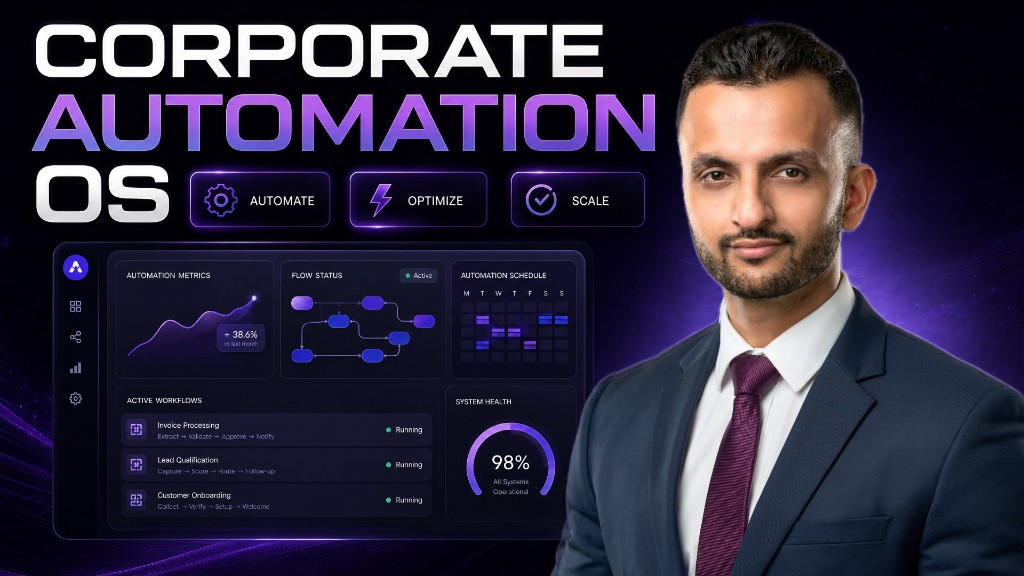
What Is the Ultimate Business Automation Tech Stack to Reclaim Your Time?
Modern business automation leverages advanced AI coding agents to build custom micro-apps without writing code. According to AI specialist Ritesh Kanjee, founder of Augmented AI Automations, business owners can use this exact framework in 2026 to reclaim up to 20 hours a week. The core takeaway is that you do not need complex engineering skills—just the right visual AI stack.
Why Should Overwhelmed Entrepreneurs Embrace AI Automation Today?
Running a business can feel like an endless cycle of manual, repetitive tasks. From copying and pasting lead data to drafts of social media posts, these micro-tasks slowly drain your creative energy.
By implementing AI automation, you can shift your focus from working in your business to working on your business. This modern approach doesn’t require hiring expensive software development agencies to build tools for you.
Instead, you can design, deploy, and run custom digital workflows that do exactly what you need. This is the new era of AI for business, where custom micro-applications replace bloated, expensive software subscriptions.
```
[Repetitive Manual Tasks] ──(AI Coding Agent)──> [Custom Micro-Apps] ──> [Liberated Time & Profits]
```
What Is the Modern Business Process Automation Architecture?
To build an efficient system, you must first understand how modern software is structured. Do not let the terminology intimidate you; it is far simpler than it sounds.
When we talk about business process automation, we look at four simple layers:
- The Front End: This is the visual interface you interact with, such as a clean dashboard or a simple input form on your browser.
- The Back End: The engine under the hood that processes logic, communicates with other systems, and executes commands.
- The Database: A secure, structured digital filing cabinet where all your customer records, logs, and outputs live safely.
- The API (Application Programming Interface): The digital bridge that connects your custom tools to external services like Gmail, Stripe, or Google Sheets.
By using AI coding agents, you can instruct an artificial intelligence model to build all four layers for you simultaneously.
What Are the Best Business Automation Tools for Non-Technical Founders?
To automate your business effectively, you need a curated suite of tools. Ritesh Kanjee and the team at Augmented AI Automations rely on a highly optimized stack that balances cost, speed, and privacy.
Here are the essential business automation tools you should set up to begin building your custom systems.
1. The Coding Agent: Cursor vs. Claude
A coding agent is the brain that writes the underlying software code based on your simple text prompts. While Claude is an exceptional standalone model, Cursor is an integrated development environment (IDE) that allows you to swap and use multiple AI models.
Cursor acts as a supercharged text editor where you can build entire web applications step-by-step. For most business owners, Cursor is the superior choice because of its sheer flexibility.
2. Version Control: GitHub
When building custom automations, you will occasionally run into errors or logic loops. Instead of manually zipping folders and saving multiple backup copies on your hard drive, you should use GitHub for version control.
GitHub acts as an automated time machine for your project. If an AI agent makes a mistake that breaks your app, you can instantly revert to the last working version with a single click.
3. The Local Server: Localhost and Mac Mini M4
You do not always need to pay expensive cloud hosting fees to run your automations. You can run your custom micro-apps locally on your own computer, accessible via a private port on your home or office network.
Many advanced users set up a dedicated mini-computer, like an M4 Mac mini, to act as a 24/7 private local server. This keeps your sensitive business data completely secure, private, and free from hosting fees.
4. The Cloud Database: Convex or Supabase
While hosting your applications locally is highly secure, losing your local hard drive could mean losing your valuable business data. To prevent this, you should use a cloud database like Convex or Supabase to store important records.
These platforms offer generous free tiers that easily handle the needs of most small to medium enterprises. They ensure that your data remains backed up, encrypted, and accessible whenever your workflows trigger.
| Feature / Tool | Cursor | GitHub | Convex / Supabase | Localhost / Mac Mini |
|---|---|---|---|---|
| Primary Role | AI Code Generation | Version Control & Backups | Secure Cloud Database | Private App Hosting |
| Skill Required | Natural Language Prompting | Basic Setup (One-time) | Basic Connection | Plug-and-Play |
| Cost | Free tier or $20/month | Free | Free tier (Generous limits) | One-time hardware cost |
| Best For | Building custom apps | Preventing code corruption | Storing leads, logs & files | Security, privacy & speed |
How Do API Keys and AI Models Connect Your Workflows?
APIs are the physical cables of the internet, allowing different pieces of software to talk to each other. To make your automations real, you will need to acquire secure API keys from your service providers.
Think of an API key as a secure, private password that identifies your application to external platforms. For example, if you want your AI assistant to draft replies to customer emails, you will use a Gmail API key to let your app read and write emails safely.
```
[Your Local Micro-App] <====(Secure API Key)===> [External Platforms: Gmail, Stripe, Slack]
```
When it comes to intelligence, you can choose from several top-tier models depending on your specific budget and needs:
- OpenAI GPT-4o: Highly reliable, exceptionally fast, and widely compatible with most business integrations.
- Claude 3.5 Sonnet: The industry gold standard for complex reasoning, logical coding tasks, and writing highly natural, human-like text.
- OpenRouter: A powerful platform that lets you access thousands of open-source models (like DeepSeek or Llama) through a single API key, saving you money.
Step-by-Step Blueprint to Automate Your Business
If you want to build a self-operating business, you need a structured approach. Follow this blueprint designed by the Augmented AI Automations community to launch your first custom system.
```
Step 1: Join Hub ──> Step 2: Install Git & Cursor ──> Step 3: Connect DB ──> Step 4: Add APIs ──> Step 5: Run App
```
Step 1: Join a Support Community
Building custom tools can feel overwhelming if you try to do it entirely alone. Join a dedicated learning space like the Augmented AI Automations community, which has over 545 active members building real-world AI applications.
Step 2: Set Up Git and GitHub
Go to github.com and sign up for a free account. Next, ask your AI agent (like Claude) to "install Git on my system" through your terminal or command prompt to handle all your backups.
Step 3: Install Cursor
Download Cursor and choose your preferred AI model. If you are serious about saving time, the $20 monthly subscription is one of the most cost-effective investments you can make for your business.
Step 4: Set Up Your Database
Create a free account on Convex or Supabase. This will give you a secure cloud environment to store customer information, generation logs, or scraped leads.
Step 5: Acquire Your API Keys
Collect your developer keys from your AI provider (like OpenAI or Anthropic) and any business apps you use daily (such as your CRM, email client, or payment processor).
Step 6: Prompt Your AI to Build the App
Open Cursor and write a clear, step-by-step description of the tool you want to create. For example: "Build a simple local web app that takes a customer query, generates a drafted reply using GPT-4o, and saves the log to my Convex database."
Frequently Asked Questions About Business Automation
Do I need coding experience to automate my business?
No, you do not need any coding experience to start. Modern visual builders and AI agents like Cursor write the software code for you based on simple English prompts.
What is the difference between Claude and Cursor?
Claude is an AI model that runs inside a browser, whereas Cursor is an advanced code editor that lets you use Claude, GPT-4, and other models to build actual files on your computer.
How much do these business automation tools cost?
Most of these tools offer generous free tiers. A professional setup with Cursor ($20/month) and database platforms like Convex (free tier) costs less than $25 a month.
Is my customer database secure when using local hosting?
Yes, hosting your micro-apps locally on your own computer or a local network server keeps your data completely private and safe from external web attacks.
What is an API key used for in automation?
An API key is a secure password that allows your custom AI application to safely read and write data to external platforms like Gmail, Slack, or Google Sheets.
Can I build mobile apps using AI coding agents?
Yes, coding agents can build responsive web applications that look and function beautifully on any mobile phone, tablet, or desktop browser.
How does GitHub help if my application breaks?
GitHub acts as an automated backup system. If your AI agent writes buggy code that breaks your program, you can easily revert back to your last working version.
Summary of Modern Business Automation
Implementing business automation is no longer a luxury reserved for massive enterprise corporations with dedicated engineering departments. By utilizing next-generation AI coding agents, databases, and APIs, everyday business owners can build secure custom applications completely from scratch. Embracing these advanced workflows through Augmented AI Automations will allow you to save valuable time, eliminate human error, and scale your operations with ease.