When you're creating lots of content, being fast and organized is key. AI tools like OpenClaw are amazing for creating things quickly with just your voice. But there’s a big problem: all the great content you make can get lost in your chat history. It becomes hard to find, edit, or use again.
This guide shows you a smarter way to work. It combines the easy voice commands of OpenClaw with a powerful, organized dashboard called the Content Command Centre.
This system is perfect for busy "Scaling Operators" who need to make great content without the mess.
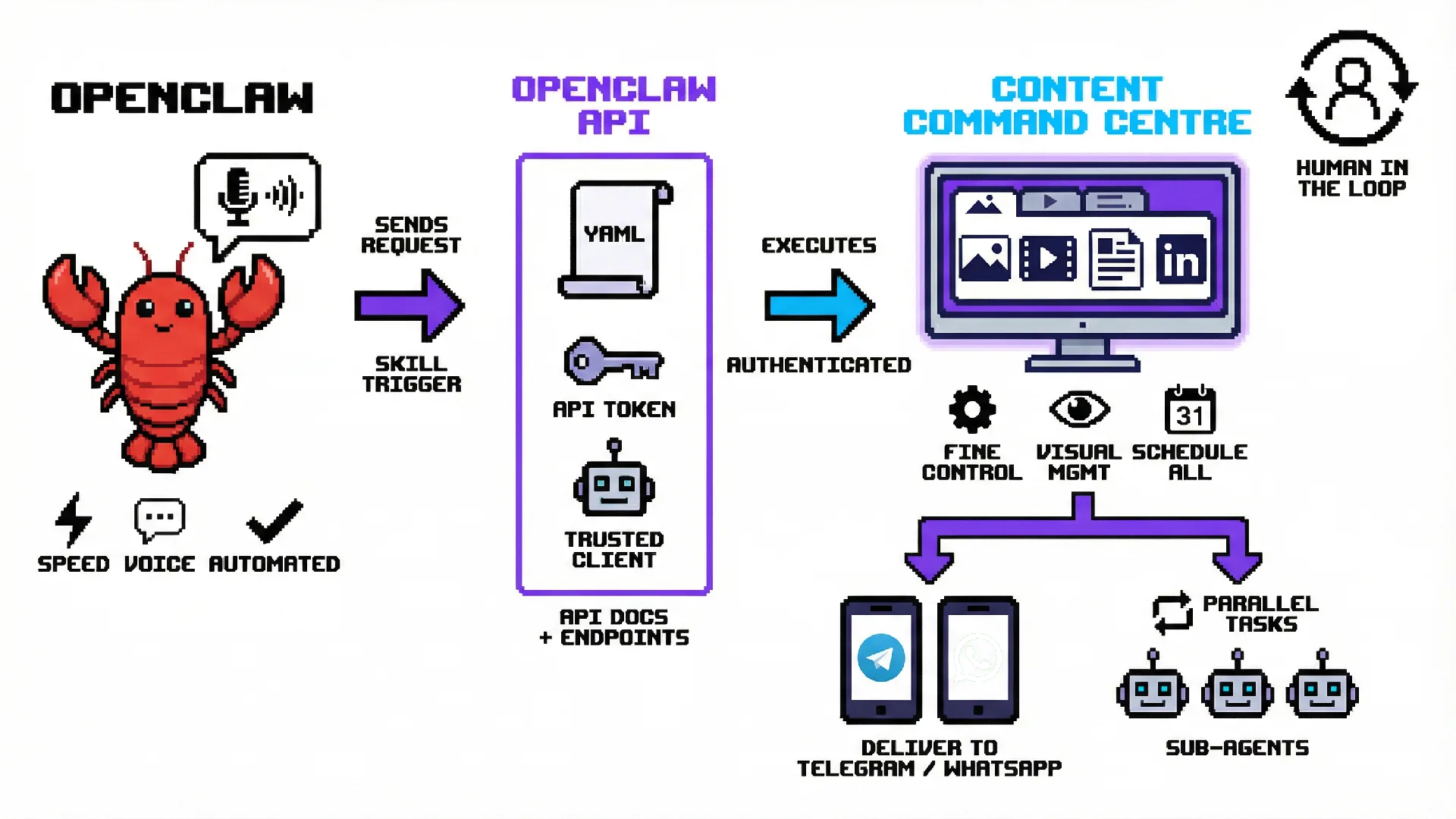
The Full Workflow: From Voice to Final Content
This is how the entire system works together. You speak, and the system builds, organizes, and delivers everything for you.
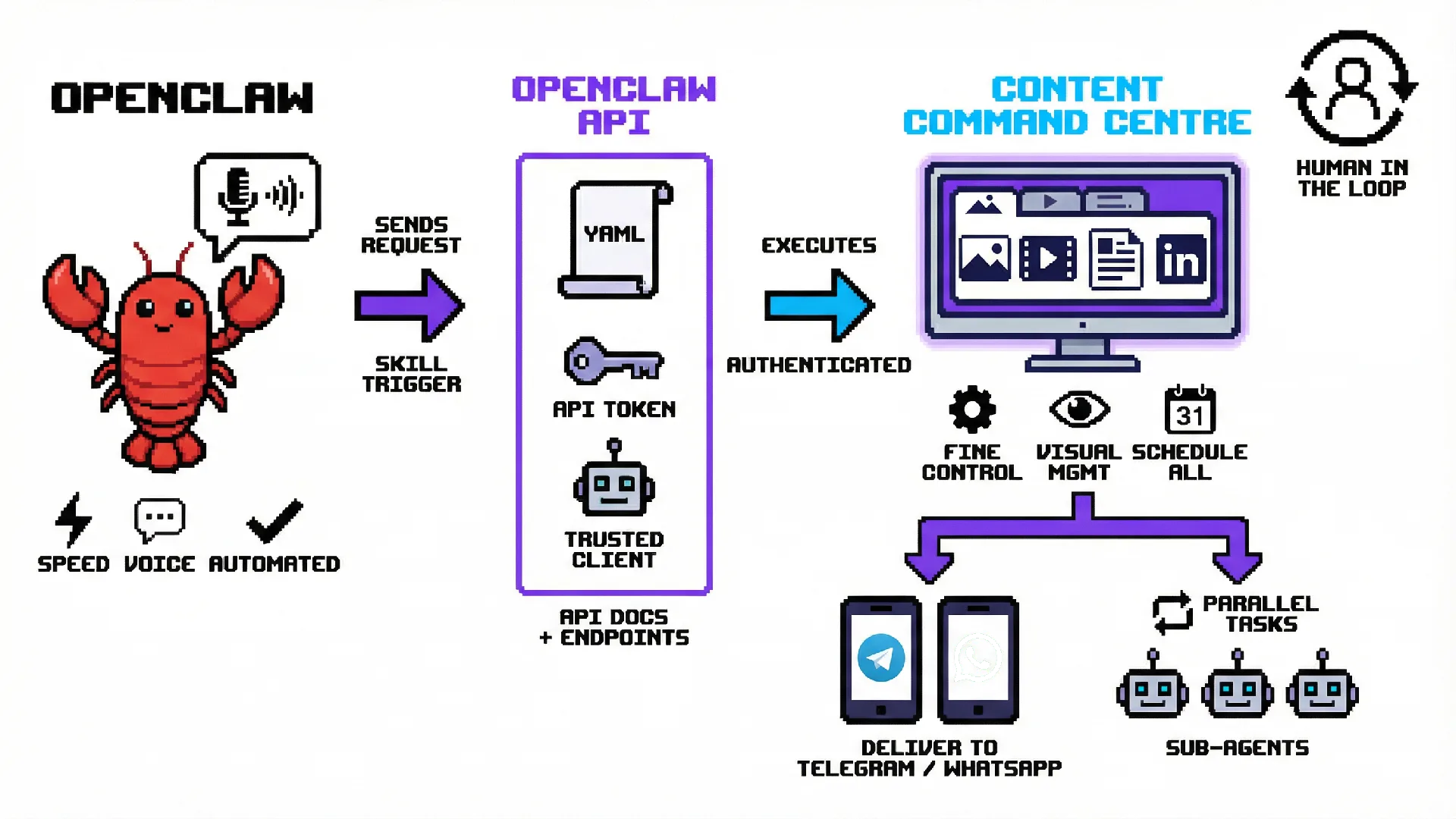
The Problem: The Mess of Using Just a Chat AI
If you only use a chat AI like OpenClaw to make your content, you’ll run into these issues:
- Content Disappears: Your ideas, images, and text get buried in the chat. Finding them later is almost impossible.
- Editing is a Hassle: Trying to change or improve something you made earlier is frustrating and messy.
- Projects Get Mixed Up: When you work on different topics or for different clients in the same chat, things get confusing fast.
This mess can slow you down and makes it hard to rely on your AI tools.
The Secret Sauce: Building a Tool for Both People and AI
The best way to automate is to build a tool that both people and AI can use. Instead of a complex script, you build a visual tool (like a dashboard) and then create a set of instructions that lets other AIs control it.
Here’s the secret:
- Build a Visual Tool: First, we create the Content Command Centre. It’s a dashboard where a person can easily see, manage, and create content.
- Create an API (The AI Rulebook): Next, we give the dashboard a special set of instructions called an API. This API needs a clear rulebook (like a YAML file) that tells an AI like OpenClaw exactly how to use the dashboard—what commands it can give and how to log in securely.
- Use Helper AIs (Sub-Agents): The dashboard is smart. It can give smaller, specific jobs to "sub-agents" or helper AIs. For example, if you ask for a video, the dashboard tells a video-making AI to get to work.
- Link it to OpenClaw: Finally, we give the API rulebook (the YAML file) to OpenClaw. Now, OpenClaw can use your dashboard just like it’s one of its built-in skills.
This system connects everything. You get the simplicity of voice commands and the power of a perfectly organized content machine.
Why Use Both? The Power of Teamwork
Both OpenClaw and the dashboard have their own strengths. When you put them together, you get the best of both worlds.
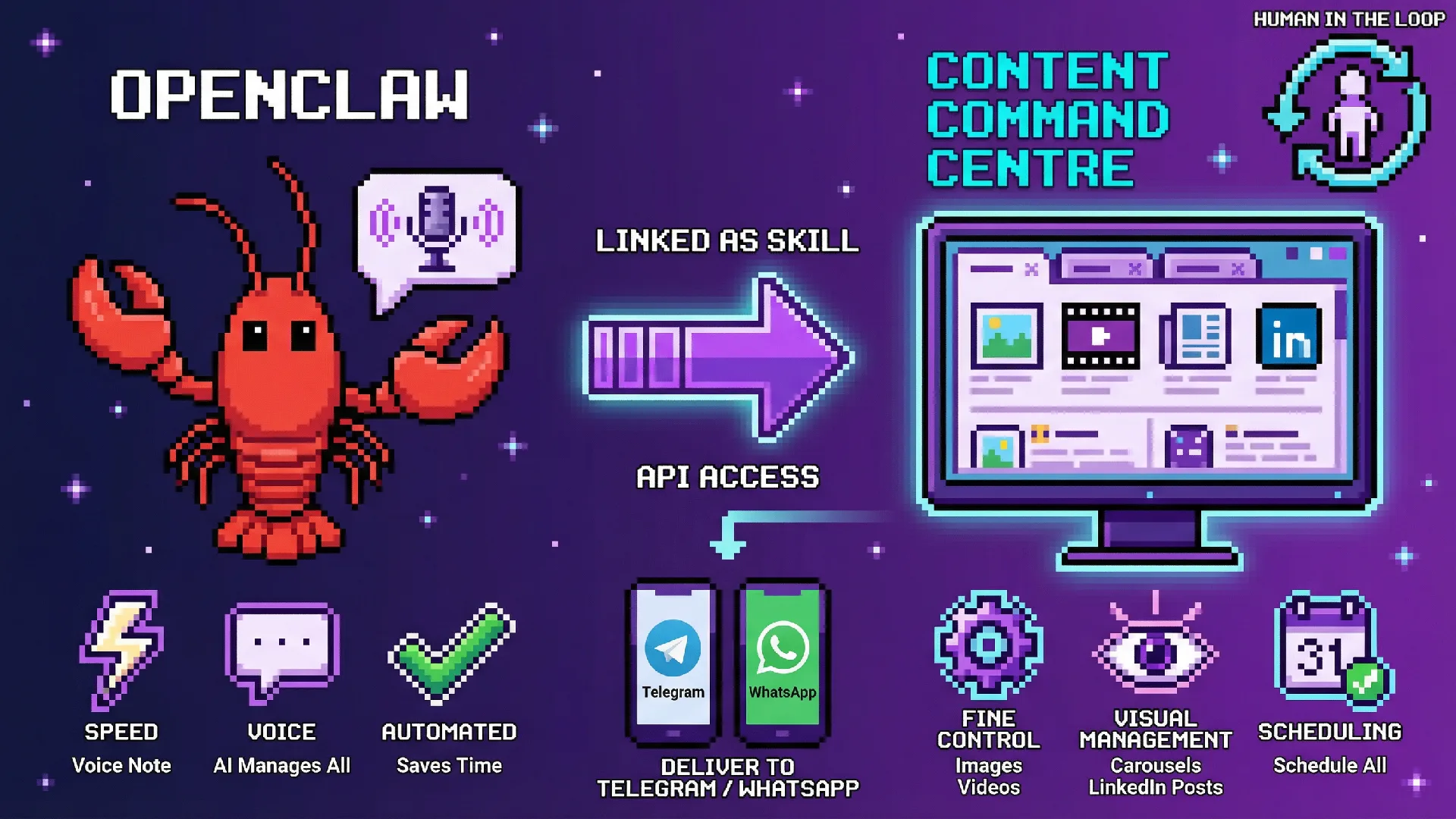
This table makes it clear:
You’re in Control: Human-in-the-Loop
This system is flexible. You decide how much you want to be involved:
- Full Automation: Let the AI do everything, from creating to delivering, for maximum speed.
- Full Control: Jump in anytime. Use the dashboard to check, change, or approve any piece of content yourself.
How to Get The Marketing Content Command Centre
Your first step is to join our group of smart operators. Here you will find the tools and people to help you grow.
Once in you’ll gain access to the our proprietary content marketing dashboard that we use in production for real clients.