
Last updated: 17 November 2026. Written by Ritesh Kanjee, director of Augmented AI.
Choose invoice processing software by testing it on your own messiest invoices. OCR template tools work when a few suppliers send the same layout every month. AI extraction wins when layouts vary, scans are poor or line items matter. Either way, pick software that flags doubtful fields for a person and posts cleanly into your accounting system.
This guide is for finance managers and owners of South African businesses who are tired of retyping supplier invoices. We build document pipelines for clients, including freight packs for ICM Cargo, and we run our own extraction product, so the advice below comes from building these systems rather than reselling them.
What does invoice processing software actually do?
Invoice processing software turns a supplier invoice into a checked, approved entry in your ledger without someone typing it in. The reading step gets the attention, but the useful products cover the whole path from the inbox to the books. A tool that only reads text leaves your team to do the rest by hand.
A complete setup handles six steps:
- Capture: collect invoices from an email inbox, a scanner, a supplier portal or a phone photo.
- Extract: pull the supplier, VAT number, invoice number, date, totals, VAT and, where needed, each line item.
- Validate: check that totals add up, the VAT number looks right and the invoice is not a duplicate.
- Match: compare the invoice to the purchase order or delivery note when you use them.
- Approve: route the bill to the right person, with the original attached.
- Post: write the approved entry into Xero, Sage, Pastel or your ERP.
If you only need the first two steps, our explainer on what OCR software does covers the basics. For the approval and ledger side, see our guide to accounts payable automation in South Africa.
What types of invoice processing software are there?
There are four broad types, and they differ mainly in how they read an invoice and how much of the process they cover. Most buying mistakes happen when a business picks a type that suits a different invoice mix from its own.
| Type | How it reads invoices | Best for | Watch out for |
|---|---|---|---|
| OCR with templates | Reads text, then uses a saved layout per supplier to find each field | A small number of suppliers with fixed layouts | Every new supplier or layout change needs a new template |
| AI document extraction | Reads the page like a person would and finds fields by meaning, not position | Many suppliers, mixed layouts, scans and photos | Needs confidence scores and a review step, since it can still misread |
| Accounts payable suite | Usually OCR or AI capture, plus approvals, matching and payments in one product | Teams that want one system for the whole payables process | Bigger change for the team, and fit with local accounting packages varies |
| Custom pipeline | AI extraction plus checks and rules built around your process | Invoices that sit inside a bigger document pack, or feed a system no product supports | Needs a clear owner and a support plan after the build |
Bill capture features inside accounting packages fall into the first two rows. They are a good starting point for simple volumes, and it is worth testing them before you pay for anything separate.
When does AI beat OCR for invoices?
AI extraction beats OCR templates when your invoices do not look the same from month to month. OCR templates are fast and cheap on fixed layouts, but they break quietly when a supplier changes its design, sends a photo instead of a PDF or spreads line items over two pages.
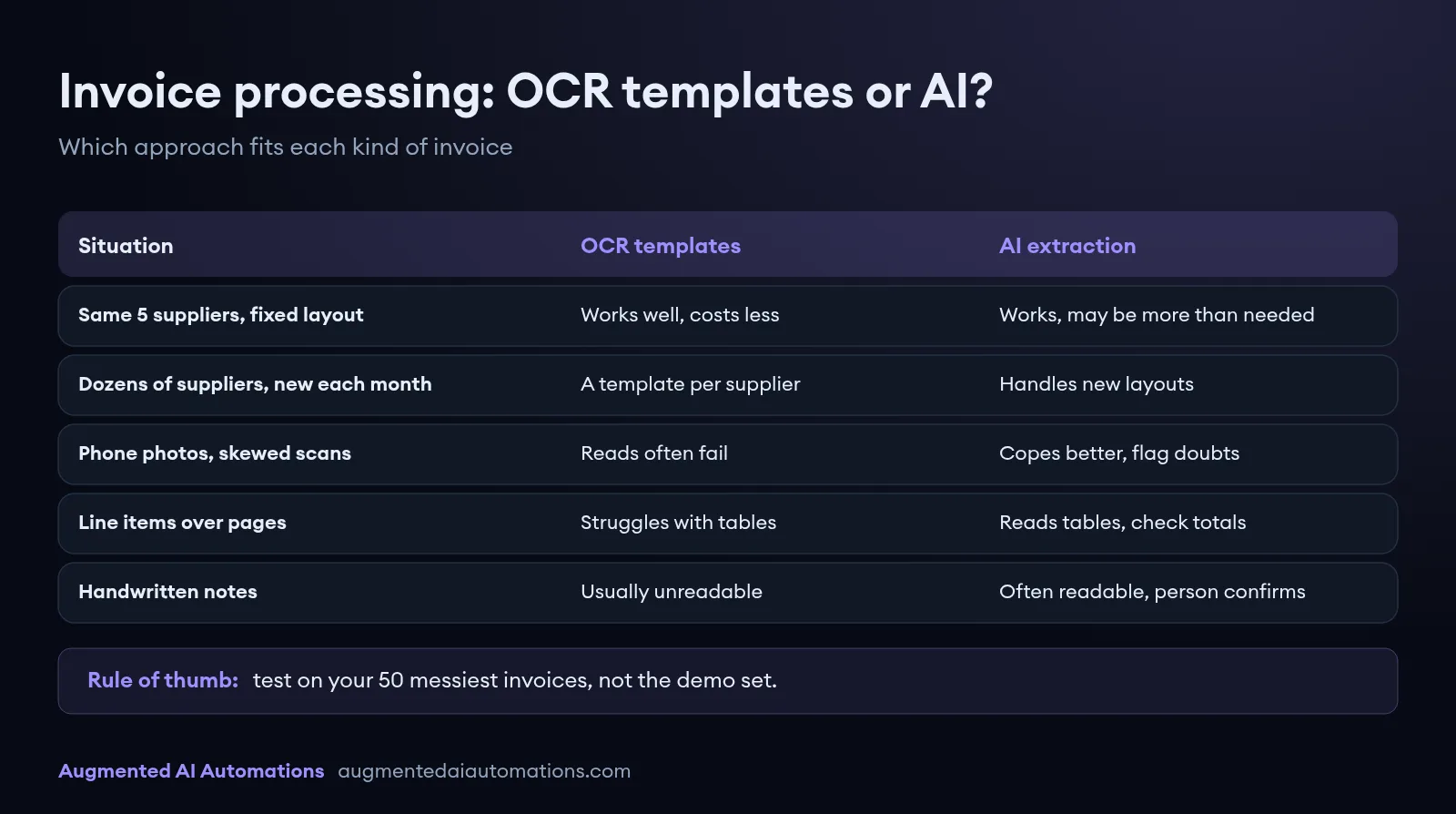
| Situation | OCR templates | AI extraction |
|---|---|---|
| Five regular suppliers, same layout every month | Works well and costs less | Works, but may be more than you need |
| Dozens of suppliers, new ones every month | A template per supplier, constant upkeep | Handles new layouts without setup |
| Phone photos and skewed scans | Field positions shift and reads fail | Copes better, but still flag low-confidence fields |
| Line items you need to capture | Struggles with tables that wrap or span pages | Reads tables by structure, check totals against the sum |
| Handwritten notes or amendments | Usually unreadable | Often readable, always needs a person to confirm |
AI is not magic. In our experience the misses that hurt are the confident ones, where a field is read wrongly but looks plausible. That is why the next sections focus on validation and review, not on headline accuracy claims.
What should South African businesses check before buying?
South African buyers should check VAT handling, accounting integration and where the files are processed before they look at anything else. Overseas tools often handle these well, but you need to confirm them on local invoices rather than assume.
VAT matters because the tax invoice is what lets you claim input tax. SARS says a business cannot deduct input tax without a proper tax invoice. A full tax invoice is required when the price is more than R5,000, an abridged tax invoice is allowed at R5,000 or less, and no tax invoice is needed at R50 or less (SARS tax invoices page, checked 17 November 2026). Good software should help you catch invoices that are missing the details SARS asks for.
Before you sign, confirm the software can:
- Extract and check the supplier's VAT number, the invoice number, the date and the VAT amount on every invoice.
- Flag invoices over R5,000 that are missing the buyer's details a full tax invoice needs.
- Read South African date formats and rand amounts without swapping days and months.
- Post directly into the package you use, whether that is Xero, Sage, Pastel or an ERP, with the invoice attached.
- Catch duplicates, including the same invoice sent twice from different email addresses.
- Tell you where invoices are stored and processed, and keep them on your own systems if your policy requires it.
How do you test invoice processing software before you commit?
Test it with a sample of your real invoices and measure the result against how long the work takes today. A vendor demo uses clean documents, so it tells you little about how the tool will cope with your suppliers.
- Pull 50 recent invoices, and include the worst ones: photos, multi-page invoices and suppliers with odd layouts.
- Time how long your team takes to capture and approve them today. This is your baseline.
- Run the same invoices through each tool you are considering.
- Count errors per field, not per invoice. One wrong VAT amount matters more than a misspelt street name.
- Check what happens to flagged invoices. Someone has to clear them, so the review screen needs to be quick.
- Post a few into a test copy of your accounting package and check the entries.
Benchmarks help you judge the baseline. Ardent Partners' AP Metrics that Matter in 2025 report, based on 212 accounts payable professionals, put the average cost to process one invoice at $9.40 and the average processing time at 9.2 days. The best-in-class group processed an invoice for $2.78 in 3.1 days. These are mostly international figures, so treat them as a direction rather than a South African target.
What have we learned building invoice and document pipelines?
The main lesson from our own builds is that the review step matters as much as the extraction. A system that reads 95 fields correctly and hides the other five creates more work than one that reads fewer but shows a person exactly what to check.
Three patterns from our projects shape how we design invoice processing:
- Traffic-light validation. For ICM Cargo's freight packs we built AI extraction with green, amber and red validation and a review dashboard. Clean files go through without a second rekey, and only the exceptions get a human pass.
- Specialist steps beat one general reader. On a visa document project for Aussizz Group in Australia, a single general bot missed fields that a specialist would catch. A separate step per document type, plus a review layer, took processing from 8 hours to 4 hours on the same file types.
- Show the source next to the result. Our own product, InstaCutList, reads photos of handwritten cutting lists and shows each extracted line next to the photo for a person to check. Invoice review works the same way: the checker should never have to hunt for the original.
When is a custom build better than off-the-shelf software?
Off-the-shelf software is the better choice when your invoices are standard supplier bills going into a mainstream accounting package. A custom build makes sense when invoices are only one part of a bigger document flow, or when the data has to land in a system no product supports.
Freight, insurance and onboarding teams often fit the second group, because an invoice arrives with delivery notes, permits or forms that must be checked together. The same applies to businesses that want to reconcile bank statements against captured invoices in one place. For a wider view of the trade-offs, read RPA vs AI automation, and for typical budgets see what AI automation costs in South Africa.
What to do next
Start by counting how many invoices you capture a month, how many suppliers send them and how long each one takes. That one baseline tells you whether a template tool, an AI tool or a custom pipeline is the right fit, and it gives you a number to measure any vendor against.
If you would like a second opinion on your invoice process, see how our document processing automation works, or book a free AI automation audit call and we will look at a sample of your invoices with you.